

Far Cry 4 Game – Overview – FC4 – Free Download – PC – Free – Screenshots – Specs
Type of game: Action-adventure, Open World
PC Release Date: November 18, 2014
Developer/Publishers: Ubisoft Montreal, Ubisoft
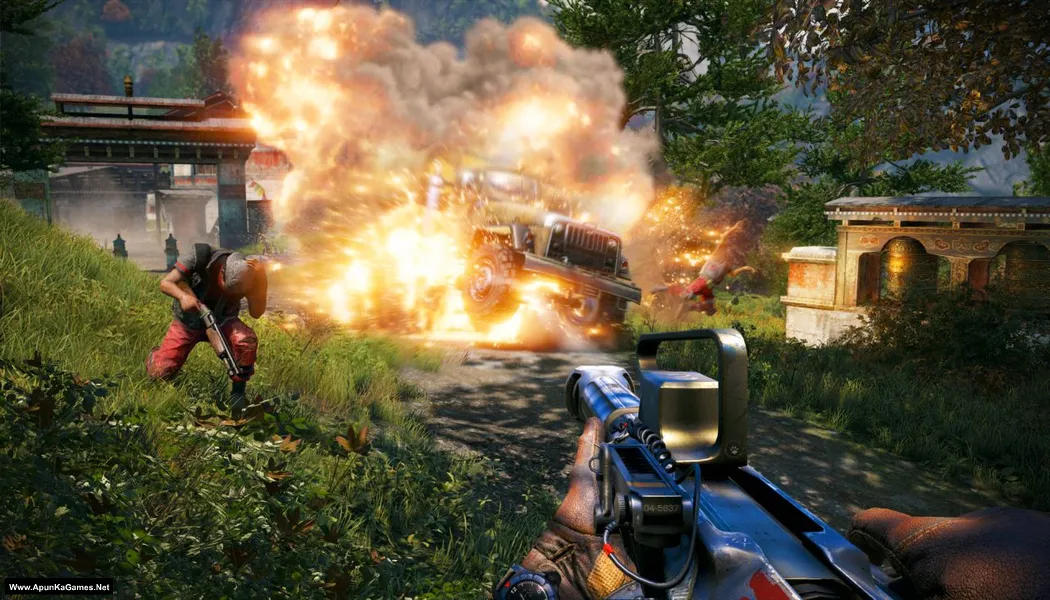
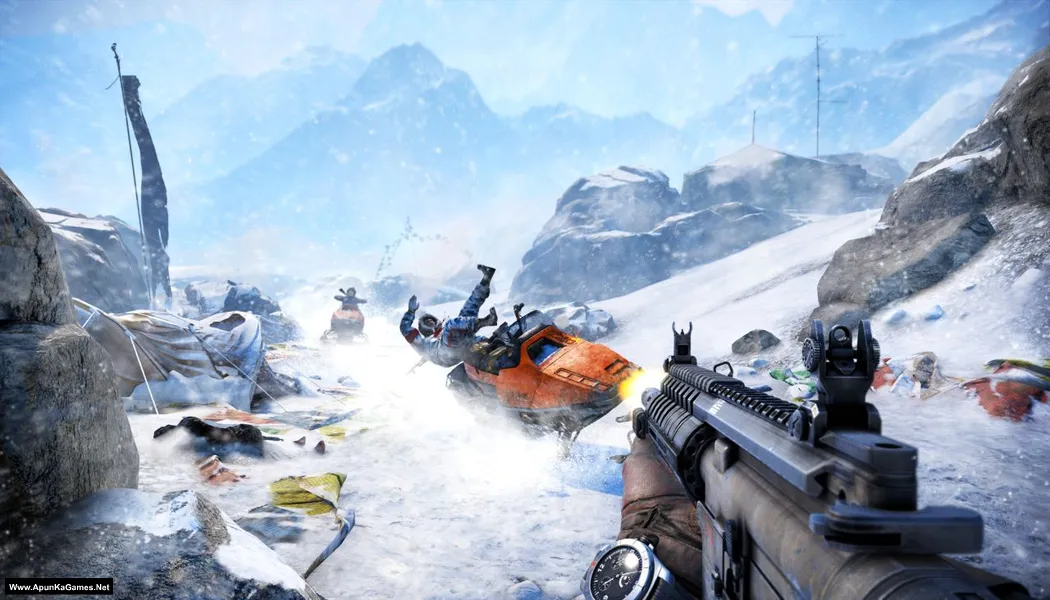
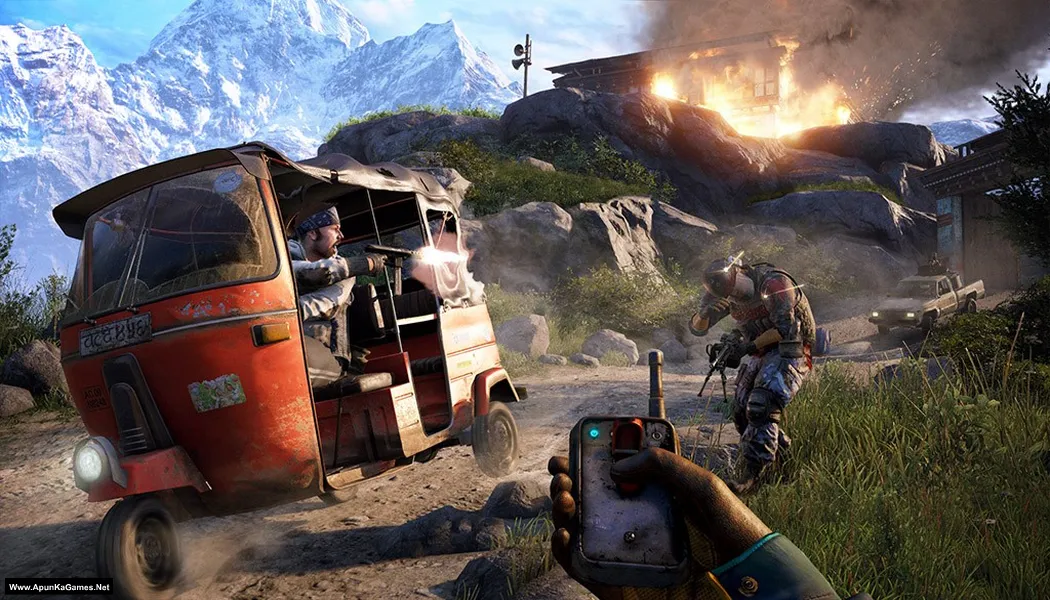
Far Cry 4 (13.03 GB) is an Action-adventure, Open World video game. Developed by Ubisoft Montreal and published by Ubisoft. It was released in November 18, 2014 for Windows. Far Cry 4 drops players into the deadly Himalayan region of Kyrat, waging guerrilla warfare against a ruthless warlord. Explore vast mountains, forests, and villages while using explosive weapons, stealth, and vehicles to dominate enemies. The gameplay blends open-world freedom, intense combat, and strategic survival for nonstop action-packed chaos.
Type of game: Action-adventure, Open World
PC Release Date: November 18, 2014
Developer/Publishers: Ubisoft Montreal, Ubisoft
Far Cry 4 (13.03 GB) is an Action-adventure, Open World video game. Developed by Ubisoft Montreal and published by Ubisoft. It was released in November 18, 2014 for Windows. Far Cry 4 drops players into the deadly Himalayan region of Kyrat, waging guerrilla warfare against a ruthless warlord. Explore vast mountains, forests, and villages while using explosive weapons, stealth, and vehicles to dominate enemies. The gameplay blends open-world freedom, intense combat, and strategic survival for nonstop action-packed chaos.
Before downloading make sure that your PC meets minimum system requirements.
Minimum System Requirements
- OS: Windows 7/8/8.1/10 (64-bit versions only)
- Processor: Intel Core i5-750 2.6 GHz or AMD Phenom II X4 955 3.2 GHz
- RAM: 4 GB
- Hard Disk: 30 GB available space
- Video Card: NVIDIA GeForce GTX 460 or AMD Radeon HD5850 (1 GB VRAM)
- Network: Broadband Internet connection
- DirectX Version: 11
Screenshots
How to Install?
- Extract the file using Winrar. (Download Winrar)
- Open “FC4” folder, double click on “Setup” and install it.
- After installation complete, go to the folder where you install the game.
- Open “bin” folder, double click on “FarCry4.exe” icon to play the game. Done!
Complete Installation Video Tutorial?
We provide complete game installation videos to guarantee that every game works perfectly. Unlike other websites where you download blindly and hope for the best, we show you real proof. Our step-by-step installation videos clearly demonstrate the game running successfully, so you know exactly what you’re getting. With us, there’s no guesswork—only verified, 100% working games you can trust.
Trust / Proof
- 100% Working – Tested by Us
- Game Verified Before Upload
- Working Gameplay Shown
- No Fake Files
- Installed Successfully on Our PC
How to Download?
If your don’t know how to Download this game, just Click Here!
Far Cry 4 Free Download
Download in 5GB Parts
Click Here
–
Download in 900MB Parts
Click Here
Game Size: 13.03 GB
Password: www.apunkagames.net or apunkagames
Download in 5GB Parts
Click Here
–
Download in 900MB Parts
Click Here
Game Size: 13.03 GB
Password: www.apunkagames.net or apunkagames

my game is not saving my progress
run as admin
turn off ransomware protection
in windows security
to fix not saving in game by just chose in installation AII213 as your crack then after instillation run as administration and have fun
work 100% for me
Serial key?
can it run on 4gb ram laptop
My average RAM usage while playing Far Cry 4 is 6GB, I would say yes, but laggy.
yes definetly on low graphics setting my laptop is dell inspirion 15 3567 4 gb ram icore 3 and its running so smooth
i cant find the bin folder anywhere. I installed everything that was suppose to..
can anyone please tell me will it run
For me YES. As good as bought one.
Part 3, not downloading
we’ll check
exactlly why does it olay without part 3
all links are working download one by one
Can it run on windows 10
Yes.
Yes
sorry but it only work on window potato
Can it run on 512mb vram and 4gb?
And is this working ?
I would say no, it won’t run, because my average VRAM usage while playing Far Cry 4 on High settings is around 1,5 – 2GB VRAM and 6 GB as RAM.
yes my species are same only vram is 520 and on low graphics setting its running so smooth
Really amazing game, run perfectly and smooth and my antivirus don’t detect any viruses.
to chutiye high setting pe khelna jaruri ha
when i started game, screen turned black and showed ” not responding”
same bro, don’t know what to do please help me it take around 13 GB to install
I also have same issue.I try literally everything but nothing worked.If someone know what to do plz help
Bro does it run on 32 bit
mine is 64 bit but has same problem
Will it run on 32 bit system 4 gb
While installing it says some ISDONE.dll file missing
https://www.youtube.com/watch?v=FrWgMshR4i4
How to install far cry 4
My ram is 2gb and I have intel core i3 laptop. So plz anyone tell me farcry 4 will run or not ?
its showing black screen and not responding anyone got any solution
Bindas chal rha hai bhai… Sahi se extract kro and install..
4gb ram 2gb gt710 i3 2100 will it run and on what fps ?
8gb ram
2gb mtx150
8th gen i7 processor
Will it be smoother???
Definitely
During the game, the auto-aim isn’t working despite turning it on in the settings
Does not load,,just says not responding
Same
When I was downloading part 13 of far cry 4 it says the file is deleted by its owner please fix this issue.
my laptop is i3-8145 CPU @2.10 GHZ 2 Cores , 8GB Ram Intel HUD 620 GRAPHICS Can it run smoothly…..?
What is Best crack for FarCry 4
Can you play multiplayer ?
Game isn’t saving any progress what can I do
if anyone showing crash problem with black screen just disable your anitvirus and firewall of window and then extract it
But already installed it
will this work on :
core i7 2nd gen
1gb graphics card
8 gb ram
Please help me @apunkagames the game is just stuck on black screen
Can i play it on 4 gb ram ddr 3,processor i5 2,50 ghz,intel hd graphics 3000,windows 7 64bit
can it run om i5 10 gen 16 gb ram gt610
Yes, a 10th generation i5 is more than capable of playing Far Cry 4
Is this game can after installing because I don’t want to take downloading risk
100% working setup!
is there any trojan virus in the uplay_r1_loader.dll because my antivirus shows that it is a virus
Disable your antivirus before installation and then try again. It’s not a virus — these are game DLL files that antivirus software may mistakenly detect as threats.
where part 3 it cant be find why please fix it or add please
links are working download one by one
I Had Downloaded All Far Cry Series, and it definitely work on i5 4th gen-8gb ram.
Thanks we appreciate That!
Why after installing and I try to launch the game and it’s doesn’t launch i tried everything restart my pc still same thing happen I install two time still not working it’s doesn’t show anything
check your system specification
please part 2 is not downloading please help me..
Brother all parts are working fine… Just download all parts one by one from Thefilelocker. wait 1st part to finish then start 2nd download. At one time 1 part. Thefilelocker can’t support multiple download so you have to download one by one!
far cry 4 isdone dll error while installing
Error arha hai
Watch this video: (How to Download and Install Far Cry 4 without Error) 100% working!
The isdone.dll error during Far Cry 4 installation often indicates compressed file corruption, insufficient RAM/Virtual Memory, or antivirus interference. Fix it by disabling antivirus, running the installer as administrator, increasing virtual memory
Bro far cry 4 While installing it says some ISDONE.dll file missing
My PC
I7 4th
12gb ram 4gb graphics card
Hhd 320 +320
Please brother turn off anti-Virus and then install the game otherwise it will give you error!
are sure 900
parts is working now
Brother all parts are working fine… Just download all parts one by one from Thefilelocker. wait 1st part to finish then start 2nd download. At one time 1 part. Thefilelocker can’t support multiple download so you have to download one by one! Try downloading the parts at a different time, such as late at night or during the day when website traffic is low.
it asks me to downlaod ubisoft uplay and when i do , it is asking for a serial key , how do i bypass this , help ???
Watch this Video (How to Download and Install Far Cry 4 without error)
having the same issue as well
FarCry4.exe start crashing.how am I fix this?
There is no FC64.exe file after installation.
Watch this video: (How to Download and Install Far Cry 4 without Error) 100% working! just follow this video instruction step by step!
brother no sound,no music and no dialogue voice is running while playing far cry4….
(See this Video How to Download and install, play without any error) We check all games before uploading. The setup is working fine and the game has been tested on our side. Please check your PC settings or installation process.
mine works fine at first but as i just open the door in that first ever seen the game crashes and it just stops working no error shows up , mines a windows 11 , i5 16gb laptop , plz help me out , also i installed it turning off the antivirus also
Watch the video step by step how to download, install and play the game.
from where i should download all in one runtime?
I’d recommend installing only what you need from official sources instead, especially Microsoft Visual C++ Redistributables and DirectX End-User Runtimes, because those come directly from Microsoft and are more up to date.
My game is started but when we get to butcher room. Downstairs where we started game game getting crashed everytime.. i think its video memory issue…. I have only 1GB video memory…
Haan bhai, ye 100% video memory (VRAM) issue lag raha hai — Far Cry 4 ko minimum 2GB VRAM chahiye hota hai.
1GB VRAM wale GPU me especially heavy areas (like Butcher Room, open world, explosions) me game crash hona normal hai. Jab game 1GB se zyada VRAM use karta hai to woh force close/crash ho jata hai. Graphics low karne se thoda farq padega, lekin crash completely stop nahi hoga. Ye pure-pure video memory limitation ki wajah se issue aa raha hai.
✔ yeh karo try:
Yeh temporary fixes ho sakte hain (crash completely stop nahi hoga):
Graphics Low + Textures Low
Anti-Aliasing OFF
V-Sync OFF
Resolution kam karo (900p or 720p)
Fullscreen nahi, Windowed mode try karo
Pagefile size increase karo (virtual memory)
My controller is not working why please can anyone help
Bro did u fix the controller problem
If u did plz tell me how do u did it
When I try to extract, it says Part 16 is corrupt… Could you fix it😭😭🤲🏿
If WinRAR shows “Part 16 is corrupt,” it means that file is damaged or not downloaded properly, and it cannot be repaired inside WinRAR. The only solution is to delete Part 16 and download it again from the apunkagames fresh file (do not resume the old download). After that, make sure all parts are in the same folder and extract starting from Part 1 using WinRAR or 7-Zip. we checked all parts are ok.
I am a big fan of your website.
Can you crack “Resident evil village” for 4GB ram Pc Please…..
Thank you so much for your support ❤️ We really appreciate it. About Resident Evil Village, it’s a heavy game and officially requires more than 4GB RAM for smooth gameplay, so it may not run properly on a 4GB RAM PC. We can note your request, but we’d also recommend upgrading your RAM for a better experience.
please fix the file locker files of every game. 900mb parts or 1gb parts are working fine but 5gb parts or more are not working. if fixed then reply. the other option like mediafire has very slow download speed so file locker is the only option.and for far cry 4 the filer locker doesnt work for 900mb parts and also 5gb parts so fix them first. The problem is that when i enter captcha and press download it shows file locker website couldnt reach.
Please Download one by one. wait 1st part to finish and then click on 2nd part to Download. Thefilelocker can’t support multiple downloads so that’s why it shows error. Cancel all the active IDM download and then click on part 2, it will download. The link is working fine—we have also checked it. Please try downloading when traffic is low, such as in the morning or at night, for better speed and stability.
on dell inspiron i5 10th gen ram 16gb intell uhd , the game quites as soon i get to the first check point
a
Your system should be able to run the game, but if it crashes at the first checkpoint, it may be caused by outdated graphics drivers, missing runtimes, or corrupted game files. Try updating your Intel UHD graphics driver, install the latest DirectX and Visual C++ Redistributables, and run the game as administrator. You can also lower the graphics settings and verify that your antivirus did not delete any game files.
MY GAME IS NOT LAUNCHING PLS REPLY APUNKAGAMES
100% working setup you can watch in this video Guide watch and follow this guide step by step to play this game without any error!
MY DATA 1.BIN FIL IS MISSING
Watch this video guide and follow step by step How to Install this game. 100% working setup!
When I even run this game it lowest graphics with 6 gb ram laptop the game is closed automatically with the start of first mission when I open door please fix this game problem
Brother, first make sure your PC meets the minimum system requirements for the game. Also, please watch the video guide provided in the post and follow every step carefully—it’s a 100% working setup. I personally played the game from start to finish without any issues, so the problem is most likely related to your PC or settings. 👍
I cant run my game because of uplay Connect
I just want to bypass it and play it offline without any third party launcher. Plz help
Watch this video guide and follow step by step. It’s offline and works 100%.
i am getting uplay_r1_loader64.dll error , i have already disabled the antivirus.
Watch this video guide and follow step by step. It’s work 100% just make sure you install the setup in correct way. Also, install the latest Microsoft Visual C++ Redistributables and run the game as Administrator. It’s solve many Dll problem.
After install the game when I was opening came a system error
“The code execution cannot proceed because _uplay_loader64.dll was not found. Reinstalling the problem may fix the problem”
I reinstalled 5 times didn’t work plz help me 😭
Click Here and Please Watch this video guide and follow step by step How to Extract and install Far Cry 4 without any error. It’s Works 100%. The _uplay_loader64.dll was not found error is usually caused by your antivirus/Windows Defender quarantining the file during installation. Please turn off your antivirus before installing, add the game installation folder to Exclusions/Exceptions, then reinstall the game. Also, install all the required Microsoft Visual C++ Redistributables (2005–2022) from the Microsoft/Redist folder included with the game. This usually fixes the issue. 🙂
bro my game is not installing when i try it open redist and direct x folder which were empty i try to close them so installation also stop
Please Watch this video guide and follow step by step How to Download, Extract, install and play the game withotu any error. You can download the All in One Runtime package or the latest Microsoft Visual C++ Redistributables using the link provided. Just download and install it—it fixes most DLL-related errors.
Click here to download redistributable packages
I played this game myself, and it works 100% you can watch in Video.
My game bot working says uplay dll file missing
Watch the video guide how to install and play this game.