

NBA 2K17 Game – Overview – Free Download – PC – Compressed – Specs – Screenshots – Free
Type of game: Sports
PC Release Date: September 20, 2016
Developer/Publishers: Visual Concepts/2K
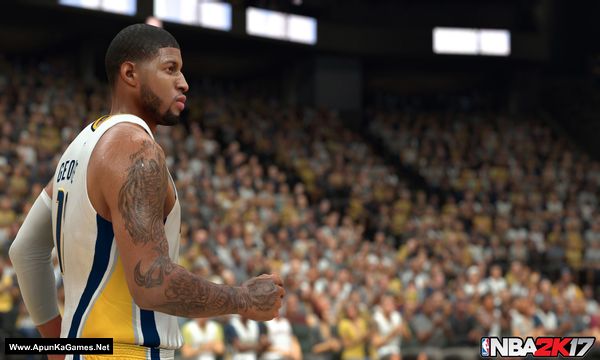
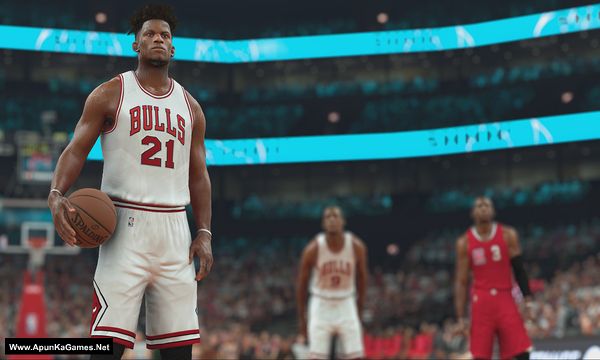
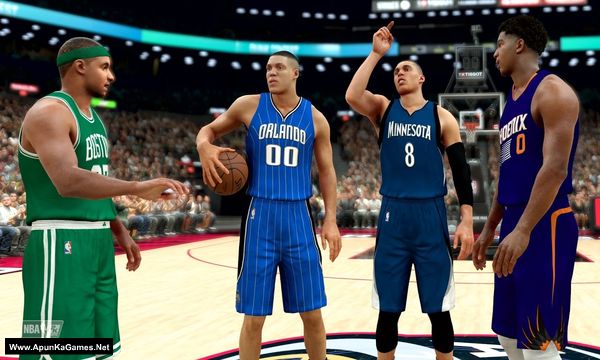
NBA 2K17 (52.9 GB) is an Sports video game. Developed and published by Visual Concepts/2K Games. It was released on September 20, 2016 for Windows. Following the record-breaking launch of NBA 2K16, the NBA 2K franchise continues to stake its claim as the most authentic sports video game with NBA 2K17. As the franchise that “all sports video games should aspire to be” (GamesRadar), NBA 2K17 will take the game to new heights and continue to blur.
Type of game: Sports
PC Release Date: September 20, 2016
Developer/Publishers: Visual Concepts/2K
NBA 2K17 (52.9 GB) is an Sports video game. Developed and published by Visual Concepts/2K Games. It was released on September 20, 2016 for Windows. Following the record-breaking launch of NBA 2K16, the NBA 2K franchise continues to stake its claim as the most authentic sports video game with NBA 2K17. As the franchise that “all sports video games should aspire to be” (GamesRadar), NBA 2K17 will take the game to new heights and continue to blur.
Before downloading make sure that your PC meets minimum system requirements.
Minimum System Requirements
- OS: Windows 7/8.1/10 (64-bit)
- Processor: Intel Core i3-530 / 2.93 GHz / AMD Phenom II X4 805 / 2.50 GHz or better
- RAM: 4 GB RAM
- Hard Drive: 70 GB available space
- Video Card: NVIDIA GeForce GT 430 1GB / ATI Radeon HD 6450 1GB or better
- DirectX: Version 11
Screenshots
How to Install?
- Extract the file using Winrar. (Download Winrar)
- Open “NBA 2K17” folder, double click on “Setup” and install it.
- After installation complete, go to the folder where you extract the game.
- Open “CODEX” folder, copy all files and paste it where you install the game.
- Then double click on “NBA2K17” icon to play the game. Done!
How to Download?
If your don’t know how to Download this game, just Click Here!
If your don’t know how to Download this game, just Click Here!
Game Size: 52.9 GB
Password: www.apunkagames.net or apunkagames

I downloaded all the files and extracted part one and tried to open 2K17 but it says The code execution cannot proceed because MSVC110.dll was not found.
This error is not caused by the game setup; it happens because some Windows system files are missing. Please download and install Microsoft Visual C++ Redistributables from the official Microsoft website. This will fix DLL errors and help the game run properly.
I downloaded the Microsoft Visual C++ Redistributables x64 version. It still says the MSVC110.dll was not found.
To fix MSVC110.dll error, install Microsoft Visual C++ 2012 Redistributable (both x86 and x64). Restart your PC and launch the game again.
I got the game application to open but it’s stuck on the 2k17 loading screen
If the game is stuck on the 2K17 loading screen, it’s usually due to missing or corrupted files, outdated drivers, or background conflicts. Try running the game as administrator, update your graphics drivers, and make sure all required files (like DirectX and Visual C++ redistributables) are installed. You can also try verifying or reinstalling the game files. If the issue still persists, let us know and we’ll guide you further.