

Pro Evolution Soccer 2010 Game – Overview – Free Download – PC – Specs – Screenshots – Installation Video
Type of game: Sports
Type of game: Sports
PC Release Date: 23 October 2009
Developer/Publishers: Konami Computer Entertainment Tokyo,Konami
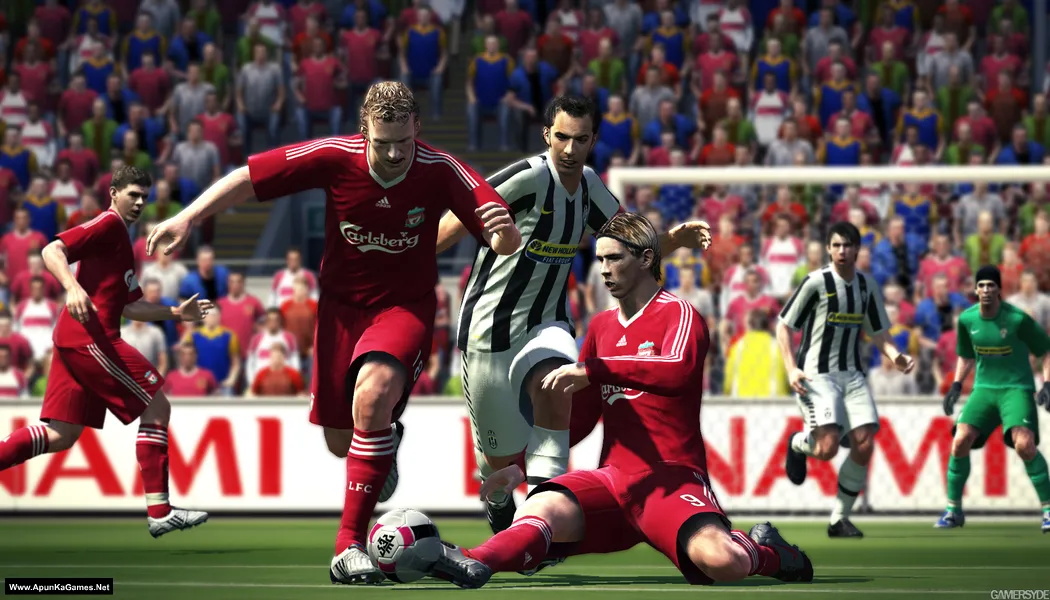
Pro Evolution Soccer 2010 (4 GB) is a football simulation developed and published by Konami. The game focuses on improved realism with enhanced player control, better ball physics, and more tactical gameplay. It features popular modes such as Master League, Become a Legend, and online multiplayer. Players can compete with licensed teams and experience intense football matches with strategic passing and attacking systems. With smoother animations and refined mechanics, PES 2010 delivers a solid and enjoyable football experience.
Developer/Publishers: Konami Computer Entertainment Tokyo,Konami
Pro Evolution Soccer 2010 (4 GB) is a football simulation developed and published by Konami. The game focuses on improved realism with enhanced player control, better ball physics, and more tactical gameplay. It features popular modes such as Master League, Become a Legend, and online multiplayer. Players can compete with licensed teams and experience intense football matches with strategic passing and attacking systems. With smoother animations and refined mechanics, PES 2010 delivers a solid and enjoyable football experience.
Before downloading make sure that your PC meets minimum system requirements.
Minimum System Requirements
- OS: Windows XP SP3, Vista SP1
- Processor: Intel Pentium IV 2.4GHz
- RAM: 1 GB
- Hard Drive: 8 GB available space
- Video Card: Graphic Card compatible with DirectX 9.0c, 128MB Pixel Shader 2.0 (targeta gráfica NVIDIA GeForce FX o AMD/ATI Radeon 9700)
- DirectX: Version 11
Screenshots


How to Install?
- Extract the file using Winrar. (Download Winrar)
- Open “Pro Evolution Soccer 2010” folder, double click on “Setup” and install it.
- After installation complete, go to the folder where you extract the game.
- Open “Crack” folder, copy all files and paste it where you install the game.
- Then double click on “pes2010” icon to play the game.Done!
How to Download?
If your don’t know how to Download this game, just Click Here!
Pro Evolution Soccer 2010E Download
Download in Single Link
Click Here
–
Download in 600MB Parts
Click Here
Game Size: 4 GB
Password: www.apunkagames.net or apunkagames
Download in Single Link
Click Here
–
Download in 600MB Parts
Click Here
Game Size: 4 GB
Password: www.apunkagames.net or apunkagames

Please share with your friends and help us to make best gaming community!
Hello Guys! We hope your game is working 100% fine because it is our first priority to upload only working and tested games. We test every single game before uploading but but if you encountered some error like Runtime Errors or Missing dll files or others errors during installation than you must need read this FAQs page to fix it.
the registration code?
registration code pls!?
Send the registration code
5HRV-LVRU-F75R-MV2L-RK45
RPJ4-7YVV-XSV5-5JK2-H25T
AT7H-KMJL-334W-W3LT-XJWM
D565-K4ES-56JC-YNXN-54J3
CV3L-25UM-7NF7-7RJA-45C3
S2H6-5DTJ-MDPV-37N7-2FAT
73VD-V59A-5ACY-JPDV-EP9J
PJ5C-P7X9-F35D-FDDK-Y7J6
AKF7-LJPK-5YPS-JVDU-J4YP
9VNE-M9ME-KY9S-MVCV-27EM
kotemu besar musytari
so beautiful
Save my name. email, and website in this browser for the next time|
Mine shows error 1500 when installing.Pls how do I fix that
Brother, error 1500 in Pro Evolution Soccer 2010 usually means another installation process is already running or a previous install didn’t close properly.
Try this: open Task Manager and end any “msiexec.exe” or setup processes, then restart your PC and run the installer again as Administrator. Also make sure no other setup or Windows Update is running in the background.
If it still shows the error, your temporary installation files may be stuck, so a reboot usually fixes it 👍
We check again. This game is 100% working setup. Please follow the instructions step by step: before extracting and installing the game, turn off your antivirus. After installation, you can turn it back on, as antivirus software may block DLL files.
01. Extract the file using Winrar. (Download Winrar)
02. Open “Pro Evolution Soccer 2010” folder, double click on “Setup” and install it.
03. After installation complete, go to the folder where you extract the game.
04. Open “Crack” folder, copy all file and paste it where you install the game. (Click Replace)
05. Then double click on “pes2010.exe” to play the game. Done!