

Type of game: Action-adventure
PC Release Date: October 26, 2004
Developer: Rockstar North
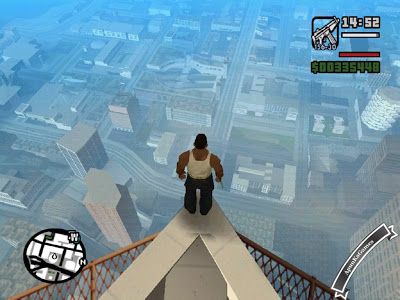
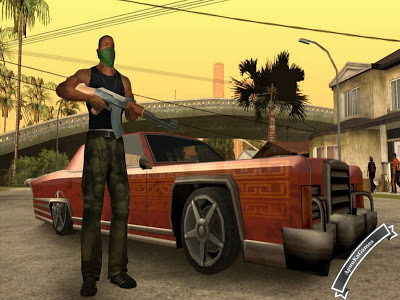
Grand Theft Auto: San Andreas is a legendary open-world action-adventure game developed by Rockstar North and published by Rockstar Games. Released in 2004, the game quickly became one of the most influential titles in gaming history and remains popular even today.The story follows Carl “CJ” Johnson, who returns to his hometown of Los Santos after the murder of his mother. He finds his family broken, his old gang losing control, and the city ruled by crime, corruption, and betrayal. As CJ, players must rebuild the Grove Street Families, take over rival territories, and uncover the truth behind his mother’s death. The narrative expands across the entire state of San Andreas, featuring three major cities—Los Santos, San Fierro, and Las Venturas—each with its own unique atmosphere and challenges.
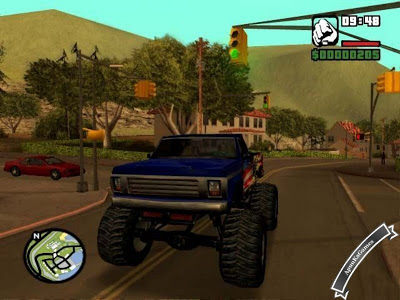
GTA: San Andreas offers a massive open world filled with freedom and variety. Players can explore cities, deserts, forests, and countryside areas while driving cars, bikes, boats, planes, and helicopters. The game includes a wide range of missions, side activities, and mini-games such as gang wars, racing, casino gambling, gym training, and driving schools.
One of the game’s standout features is its RPG-style progression system, allowing players to improve CJ’s skills, change his appearance, gain muscle, or become overweight based on lifestyle choices. Combined with a huge weapon selection, vehicle customization, and an iconic 1990s soundtrack, GTA: San Andreas delivers a deep and unforgettable experience.
Even years after its release, GTA: San Andreas remains a classic that defined the open-world genre and continues to be loved by players worldwide.
Before downloading make sure that your PC meets system requirements.
System Requirements
- OS: Windows 2000/XP
- Processor: Pentium 3 @ 1 GHz
- Memory: 256 MB
- Hard Drive: 3.6 GB free
- Video Memory: 64 MB
- Video Card: GeForce 3
- Sound Card: DirectX Compatible
- DirectX: 9.0
How to Install?
- Extract the file using Winrar. (Download Winrar)
- Open “GTA San Andreas” >> “Game” folder, double click on “Setup” and wait for installation.
- After setup 100% complete, double click on “GTA_sa” icon to play the game. Done!
Complete Installation Video Tutorial? We provide complete game installation videos to guarantee that every game works perfectly. Unlike other websites where you download blindly and hope for the best, we show you real proof. Our step-by-step installation videos clearly demonstrate the game running successfully, so you know exactly what you’re getting. With us, there’s no guesswork—only verified, 100% working games you can trust.
Trust / Proof
- 100% Working – Tested by Us
- Game Verified Before Upload
- Working Gameplay Shown
- No Fake Files
- Installed Successfully on Our PC
If your don’t know how to Download this game, just Click Here
Click Here to Download
Uncompressed Version Download in 600MB Parts
Game Size: 3.57 GB
Password: www.apunkagames.net or apunkagames

It’s not working for me
My specs :
Ram – 4gb
Video card – 5gb
Graphic card – Navida
Windows – 11
what’s the error?
Gta san is not opening this my error
My speca:
Ram=8gb
Video card=intel hd 2500
Window=10 64bit
Processor=i3 3rd generation
audio not working..i cant listen what characters say
it says Uncompreesed and compressed compreesed its around 500mb – 1GB and it doesn’t have audio but UnCompressed is 3.57-GB and it has Audio if every charactor peds everyone in game
Please comment me fast
fast
😂🤣
Hi, Apunka Games
I have commented like twice and you do not respond. I am not able to extract the files.
The error is that the Win-rar shows “no archive found” when I try to extract it.
Suggest a solution.
extract in 7-zip.it will definetly work
tru to reinstall your winrar
Does the compressed version have all sounds including radio, cutscene voices, pedestrian voice, etc.?
this is really something id also love to know …. apunka games plzzz give us a response
gta san andreas password snd me
plz snd me gta san andreas password
this is a password
https://www.apunkagames.net
uhhh can u make it that u can download a game at once like itsreally frustrating having to download a 1hr thing when u can take 30mins
Haha, I get you, brother! 😅 Downloading game parts one by one can be really frustrating.
If you had the option to download the full game at once, it would save a lot of time—but for now, we use parts so downloads don’t fail on slow or unstable connections. Hopefully in the future, we can make single-file downloads possible. 🎮
maybe GTA SA cant detected your specs bcz windows 11
You have to take a 5lakh gaming pc
window 11 is the issue
What
its showing no cd/dvd/rom find
whats the solution for this tell me as soon as posible please
Watch this video guide
Hi,is this gta sa original from rockstar or just RIP setup
original
Thank You,I love this site
Does this work in windows 10 64 bit?
yes I think it will work on windows 10 64 bit
hi, is the ultra compressed version 608mb when uncompressed it will be 3.5 gb or not
Hey did it become 3.5?
Yes!for those who got errors try downloading original size version other than compressed version
I want compressed version of gta san andreas
Bro there is no sound in cutscenes or sounds of pedestrians. I checked the audio folder its 3.23gb and all files are present please help bro
My pc specs:
Os – windows 10 64 bit
Ram – 8gb
Processor – intel core i5-8250u 8th gen
Graphic card – intel uhd graphics 620
I have 2 issues.
1. The download link to the uncompressed version (whole) is redirecting me to the ULTRA COMPRESSED version’s download page. So…
2. I downloaded the uncompressed version in parts, BUT turns out that the parts 2,3,4,5 were corrupt, happens to me a lot of times, so I just re-downloaded the parts and then extracted them again, but the error that either the archive is corrupt or some other thing, even 2 error in 1 archive were coming, so I downloaded again, extracted again and again and again, I have downloaded and extracted this game’s parts 2,3,4,5 for like 5 times now and I can’t get it to work.
So, my last resort was to “keep broken files” and extract, I did even that, the archives were extracted without any error, the game opened, BUT… The game is only loading halfway, as in, the loading screen after choosing a save-game/new game is only going HALFWAY and stopping. Waited on the screen for like 10-15 minutes, it doesn’t go anywhere from there I have to force close the app. I restarted the app, tried all compatibility settings, but its not working!
So, my theory is that the parts are corrupt, even after keeping the broken files and getting a successful extraction, I wasn’t able to get the game to work.
So please add new parts to this website, if not, please make the link to the UNCOMPRESSED WHOLE VERSION’s redirect to the correct download page, so that I can download the WHOLE game at once instead of parts.
P.S. I download 1 part at a time, without any interruptions, so I don’t think I am wrong there.
ok i downloaded this game from 2020 i also having this problem ,but i fix it.First download ultra compressed version of gta sa and follow the instruction.You can play the game now but it missing sound and audio.After that download the audio file from this video https://www.youtube.com/watch?v=CGa9dZ7I0-Y.Now you can play this game with full version.
download the 3 gig version
help me with this setup.bat not found make sure u entered name correctly
100 percent working games site and gta san andreas also working.
Kenapa Mouse yang saya klik, gak working di game kamu
Hi , i downloaded all the parts and followed the instructions, but when i open the extracted folder and go to the ‘game’ folder , there is no “setup” option for me to install it 100% .\
Hello, I downloaded “Uncompressed Version Download in 600MB Parts” and after extracting the file, I opened the “game” folder, there is no file named “setup” there, though there is a file named :gta_sa.exe”. but it isn’t opening. What should I do?
Dear apunkagames
There is no voice of any character in game but sound is okay
Is it like this or I’m having some issue❔
Hi, I downloaded this game carefully but the mouse is not working. May I ask on what solution of this problem?
bro, why do i want to download part 4 when i extract it, it damage the file
redownload the part which is corrupted
where
do we have to download all parts or we can just download part 1
I have downloaded all 600mb parts. After extracting there is no setup in this game but pre installed files. When I open GTA_san.exe the game looks like it is going to start because resolution changes but it crashes without showing any game screen.
Watch the full gameplay video
https://youtu.be/0S-Z6eKWP1Y
mine toooo
This is the best game every
apunkagames is the best
Bro there is no sound in cutscenes or sounds of pedestrians. I checked the audio folder its 3.23gb and all files are present please help bro
My pc specs:
Os – windows 10 64 bit
Ram – 16gb
Processor – intel core i5 12th Gen
Graphic card – Nvidia RTX 3050
I love this site
All is well but game are not play
Please solve my problem,
there is no voice in the game
dose this have audio
it says I should have at least DirectX version 9 to play the game but my PC DirectX is currently 12
apunka :c my computer is windows 7 can i play that game :c T_T
I want compressed version of gta san andreas
IT WORKED. I JUST DOWNLOADED 608MB FILE FROM MEDIAFIRE LINK THN EXTRACT IT USING 7ZIP (WINRAR NOT WORKED) TOOK 25TO30 MINUTES TO EXTRACT FULLY AND WORKING LIKE CHARM. THANKS TO ADMIN. 🙂
Will it work in windows 10 64 bit laptop?
Can i download mods for this game?
can it run on windows 11?
404 not found
How i cacn ddownload it?
its work for me thnx apunka games.
my game does not even open because it says no cd dvd found pls help jme i use windows 11 i5 12 gen
part 5 404 not found
all links are working
your download link is not working every server shows error
TheFilesLocker Links are working fine you can download the game from it. Also we will recover Mediafire – Google Drive – MegaUP link soon as we can!
how to dowload
https://www.apunkagames.com/how-to-download
Select and Right click on this link and open it into new Tab and see this video!
what is the password
Type or copy and paste these password 1 by 1
www.apunkagames.comwww.apunkagames.netapunkagames
my mouse is not working gta san andreas in this how to fix it please rtell
Follow my instruction step by step:
Right-click GTASA.exe, then go to Properties → Compatibility.
Enable Compatibility Mode and select Windows XP (Service Pack 3).
Click OK and close the window, then run the game.
The mouse will work properly. This issue happens because the game is old and may have problems on Windows 10 or 11. Thanks!
Mouse is still not working
Watch this video guide brother and follow step by step.
when i run the game as administrator it shows an error “cannot find 800x600x32 video mode”. please reply anyone and tell me the solution
To fix the ‘cannot find 800x600x32 video mode’ error in older games like GTA San Andreas on Windows 10/11, right-click the game’s .exe file, select Properties, go to the Compatibility tab, and check ‘Run in 640×480 screen resolution.’ Alternatively, set the compatibility mode to Windows 7 or 8. You can also search this error on Google for more video guides.
Hi apun ka game, my issue is that my game has been installed but it is showing NO CD/DVD ROM DRIVE FOUND, what should I do, please help me.
Hi Abhyuday, See and follow this video Step by step How to Download and install This Game Without Error
helo apunkagames ,i cant donwload the part 4 file ,i wont let me and done doing captcha
Hello 🙂
It’s working fine, brother 👍 Just make sure you’re choosing the correct picture in the captcha. Sometimes if you select even one wrong image, it won’t let you proceed.
Try again carefully — it should work 💪
hey gng ,its giving me error ,i cant extract part 1
Watch this Video and follow step by step (How to Download and Install GTA San Andreas Without any Error)
it’s asking me to insert a dics ??
Watch this video guide and follow step by step How to Download, extract, install and play GTA San Andreas Without any error!
Error message poped up when clicking the download link {404 not found}
when clicking the download link the link proceed to new tab and it shows download option but
we click the download option a error message showing 404 not found / privacy issue eg: site is not secure
Brother, all links are working fine 👍 Before downloading, temporarily turn off your antivirus because sometimes it blocks downloads from TheFileLocker due to full-version game files.
Also, download from TheFileLocker and make sure to download the parts one by one. Cancel all the active IDM downloads and then click on link it will download.
The og nostalgic game ever
I’m having problem after i install the game and complete the setup
It says,,vorbisfile.dll and EAX.DLL not found
I’ve tried even after turning off my computer security i mean…real time protection off and firewall off..still same results
Please help and suggest what to do
The vorbisfile.dll and EAX.dll errors usually mean the required game components are missing or the DLL files were removed. Please watch the Video Guide on the post and follow it step by step. At the beginning of the video, you’ll see how to install the All-in-One Runtime Package. Install the latest Microsoft Visual C++ Redistributables, DirectX, and the All-in-One Runtime Package, then restart your PC and try launching the game again.