
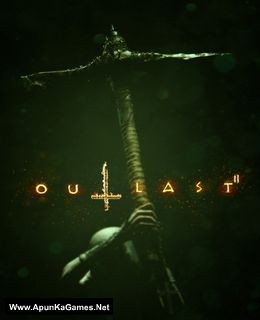
Outlast 2 Game – Overview – Free Download – Free – Compressed – PC – Screenshots – Specs – Torrent/uTorrent
Type of game: Survival horror
PC Release Date: April 25, 2017
Developer/Publishers: Red Barrels
Outlast 2 (20.7 GB) is an Survival horror video game. Developed and published by Red Barrels. The game was released on April 25, 2017. It is a first-person survival horror game that, like its predecessors Outlast and Outlast: Whistleblower, is a single-player campaign. It is set in Northern Arizona. The game continues the found footage characteristics from the first game. The player controls the investigative journalist Blake Langermann, who investigates a dilapidated rural area in Supai, near the western edge of the Colorado Plateau.
Type of game: Survival horror
PC Release Date: April 25, 2017
Developer/Publishers: Red Barrels
Outlast 2 (20.7 GB) is an Survival horror video game. Developed and published by Red Barrels. The game was released on April 25, 2017. It is a first-person survival horror game that, like its predecessors Outlast and Outlast: Whistleblower, is a single-player campaign. It is set in Northern Arizona. The game continues the found footage characteristics from the first game. The player controls the investigative journalist Blake Langermann, who investigates a dilapidated rural area in Supai, near the western edge of the Colorado Plateau.
Before downloading make sure that your PC meets minimum system requirements.
Minimum System Requirements
- OS: Windows 7/Vista/8/10 (64-bit)
- Processor: Intel Core i3-530
- RAM: 4 GB
- Storage: 30 GB available space
- Video Card: 1GB, NVIDIA Geforce GTX 260 / ATI Radeon HD 4870
- DirectX: Version 10
Screenshots
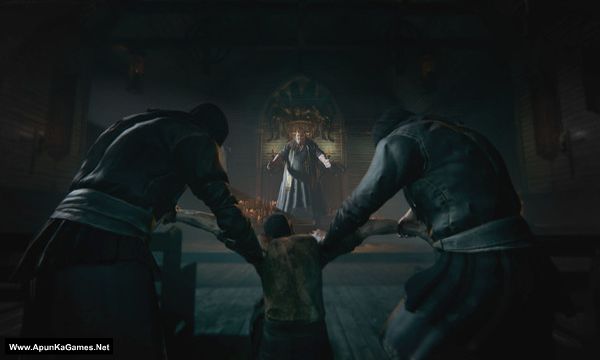
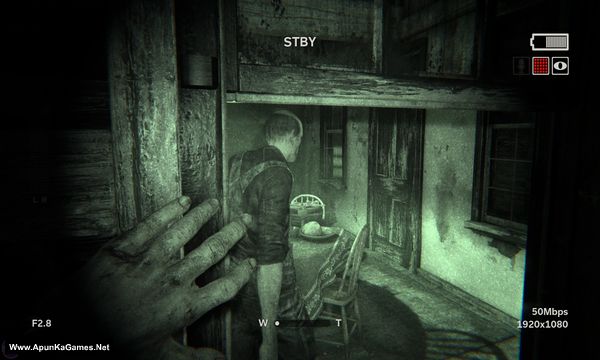
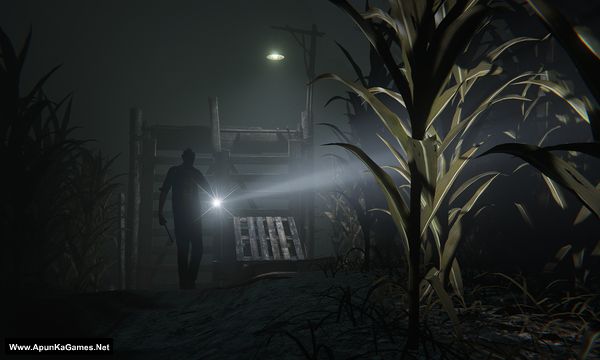
How to Install?
- Extract the file using Winrar. (Download Winrar)
- Open “Outlast 2” folder, double click on “Setup” and install it.
- After installation complete, go to the folder where you extract the game.
- Open “CODEX” folder, copy all files and paste it where you install the game.
- Go to “Binaries” >> “Win64” folder, double click on “Outlast2” icon to play the game. Done!
How to Download?
If your don’t know how to Download this game, just Click Here!
If your don’t know how to Download this game, just Click Here!
Game Size: 20.7 GB
Password: www.apunkagames.net or apunkagames

hello!
i recently downloaded outlast 2, but deleted it imediately after extracting and installing the game without pasting the codex files into the games directory. i have limited date and won’t be abe to download the whole game any time soon. i am kindly requesting you to send me the codex folder for outlast 2. thanks alot
please upload fast servers it is very slow for download
it’s not too much slow bro.I got 11mb/s while downloading 🙂
Hey Apunkagames, what’s the password
I tried to extract using WInrar it asked for password
Pls man tell the password ?
https://www.apunkagames.net or apunkagames
rushikesh bhai
password is 123
Same
Type these passwords one by one (make sure Caps Lock is off) or just copy and paste it.
apunkagames
www.apunkagames.netwww.apunkagames.comType these passwords one by one (make sure Caps Lock is off) or just copy and paste it.
apunkagames
www.apunkagames.netwww.apunkagames.comPart 19 and 20 file not found 404 error please fix it
I want to play this game
bro what if i deleted the folder after setuping that thing and after that i deleted that folder, the game will gone or what?
Only if you deleted the installation folder or uninstall it from control panel then yes it will gone!
The code execution cannot proceed because msvcr110.dll was not found .reinstalling the program may fix the problem
Pls help apunka🥲🥲
Brother, This error occurs because Microsoft Visual C++ Redistributables are not installed. You can search this on Google as well. Just download and install the Microsoft Visual C++ Package. It will fix all DLL errors and is required for most PC games. Don’t worry — after installing it, this error should not appear again. Download Microsoft Visual C++ Redistributable Package
Can anyone tell what is the password
These are passwords try one by one (make sure Caps Lock is off) or just copy and paste it.
apunkagames
www.apunkagames.netwww.apunkagames.combro it shows checksum errorsss pls solve
Checksum errors usually mean one or more game files are corrupted or incomplete. First, make sure all parts finished downloading properly and are in the same folder. Then re-download only the part that shows the error and extract again from Part 1 using WinRAR or 7-Zip. Also temporarily disable antivirus, because sometimes it blocks files during extraction and causes checksum issues 👍