
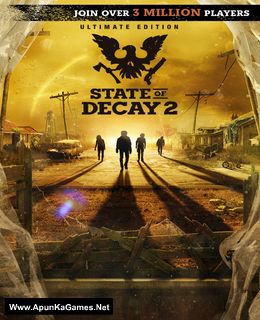
State of Decay 2 Game – Overview – Free Download – PC – Compressed – Specs – Screenshots – Free
Type of game: Action,Survival Horror
PC Release Date: May 22, 2018
Developer/Publishers: Undead Labs,Microsoft Studios
State of Decay 2 (9.1 GB) is an action,survival horror video game. Developed and published by Undead Labs,Microsoft Studios. It was released on May 22, 2018 for Windows. State of Decay 2 is a zombie survival game, with an emphasis on scavenging for items, in which gameplay is experienced from a third-person view. The game is set in an open world environment and features cooperative gameplay with up to three other players.
Type of game: Action,Survival Horror
PC Release Date: May 22, 2018
Developer/Publishers: Undead Labs,Microsoft Studios
State of Decay 2 (9.1 GB) is an action,survival horror video game. Developed and published by Undead Labs,Microsoft Studios. It was released on May 22, 2018 for Windows. State of Decay 2 is a zombie survival game, with an emphasis on scavenging for items, in which gameplay is experienced from a third-person view. The game is set in an open world environment and features cooperative gameplay with up to three other players.
Before downloading make sure that your PC meets minimum system requirements.
Minimum System Requirements
- OS: Windows 10 (64-bit)
- Processor: Intel Core i5-2500 3.3GHz / AMD FX-6300
- RAM: 2 GB
- Hard Drive: 8 GB available space
- Video Card: AMD Radeon HD 7870 or NVIDIA GeForce GTX 760
- DirectX: Version 11
Screenshots
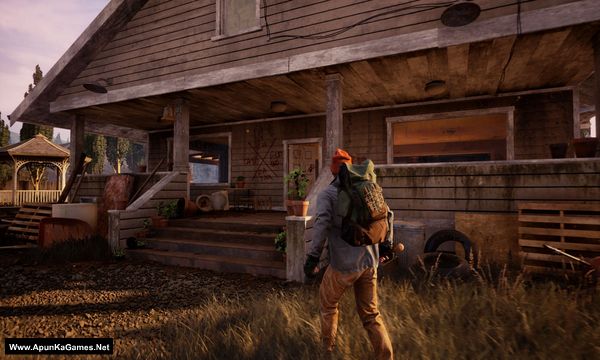
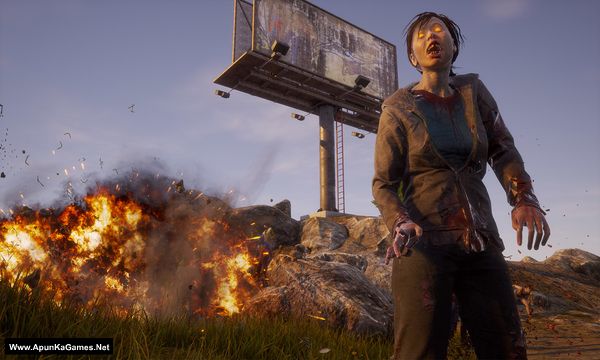
How to Install?
- Extract the file using Winrar. (Download Winrar)
- Open “State Of Decay 2” folder, double click on “Setup” and install it.
- After installation complete, go to the folder where you install the game.
- Open “AppFiles” folder, double click on “win10dev” to complete the registry and click Ok.
- Then Click on “Install Crack” Windows Batch File which is in the same folder, wait for 30 second to complete.
- Last step go to the desktop or start menu, Select “State of Decoy 2.exe” and choose Run as administrator to play the game. Done!
How to Download?
If your don’t know how to Download this game, just Click Here!
If your don’t know how to Download this game, just Click Here!
Game Size: 9.1 GB
Password: www.apunkagames.net or apunkagames

i downloaded this game state if decay 2 today after extraction I installed it and when i run it started giving many dll errors… requesting for solution
Me too
Me too
download the fucking dll
jezus
don be an asshol asshole
They don’k know what to do, you don’t need to be a jerk about it. Sheesh!!!
Don’t download it. Its not update and your game will not open. Don’t waste your data.
download microsoft v++ x84 or x64
The game startup file, Stateofdecau-upw-64-shipping.exe file’s directory is not correct in the setup file so the exe file is not working correctly. I therefore request Apunkagames team to install the game and recheck the problem.
Game doesnt work despite all dlls are installed, such a shame
Sir We checked the setup. It was old setup that’s why it’s corrupted so we changed it with new setup… It’s fixed now and 100% working. Re-download the game and this time it will work 100 percent. Sorry for the corrupt setup and thanks for telling us.
I don’t think this works on windows 11, I tried the whole process, installed multiple times, and it doesn’t work, it just shows the launch screen for 5 seconds then crashes, and please stop deleting my comment am only trying to help others
Sorry to hear that. If the game only shows the launch screen for a few seconds and then crashes on Windows 11, please make sure your system is fully updated and your graphics drivers are the latest version. Try running the game as Administrator, temporarily disable your antivirus or Windows Defender, and ensure all required redistributables like DirectX and Visual C++ are properly installed. You should also change the compatibility mode from the game properties and set it to Windows 8 or Windows 10.
I did all that but the game just shows the splash screen for a few seconds and then nothing and it is not only on windows 11 but also windows 10, we need a solution please
Have you try on compatibility mode?
Bro I think game ma virus hai qk game install Bhi hua everything perfect then mana icon pr click Kia and game state hua screen loading Hota Ta Ka game band hua mains antivirus ki history check ki to Usma is ki name tha
Bhai anti-virus on kro gy to aisa hi ho ga na. Modern anti-virus crack files ko support nhi krty is liye usy virus bta kr delete kr dety. Hoti dll files hain pr isy virus show krty. Exception folder banao aur us main install kro. Phr play kro 1 number chaly gi. 100% safe hai baqi apki mrzi bhai!