
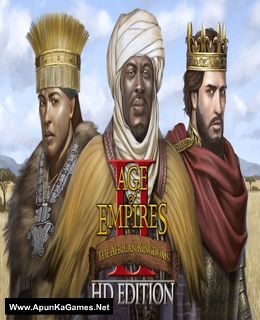
Age of Empires II HD: The African Kingdoms Game – Overview – Free Download – PC – Compressed – Specs – Screenshots – Free
Type of game: Strategy
PC Release Date: November 5, 2015
Developer/Publishers: SkyBox Labs, Forgotten Empires/Xbox Game Studios
Age of Empires II HD: The African Kingdoms (1.8 GB) is a strategy video game. Developed and published by SkyBox Labs, Forgotten Empires/Xbox Game Studios. It was released on November 5, 2015 for Windows. The African Kingdoms is the second expansion to Age of Empires II HD: The Forgotten, and the third expansion for Age of Empires II. The thematic focus of the expansion is the continent of Africa, and 3 of the 4 featured civilizations are from this continent
Type of game: Strategy
PC Release Date: November 5, 2015
Developer/Publishers: SkyBox Labs, Forgotten Empires/Xbox Game Studios
Age of Empires II HD: The African Kingdoms (1.8 GB) is a strategy video game. Developed and published by SkyBox Labs, Forgotten Empires/Xbox Game Studios. It was released on November 5, 2015 for Windows. The African Kingdoms is the second expansion to Age of Empires II HD: The Forgotten, and the third expansion for Age of Empires II. The thematic focus of the expansion is the continent of Africa, and 3 of the 4 featured civilizations are from this continent
Before downloading make sure that your PC meets minimum system requirements.
Minimum System Requirements
- OS: Windows Vista/7/8 Pro+
- Processor: 1.2GHZ CPU
- RAM: 1 GB RAM
- Hard Drive: 2 GB available space
- Video Card: Direct X 9.0c Capable GPU
- DirectX: Version 9.0c
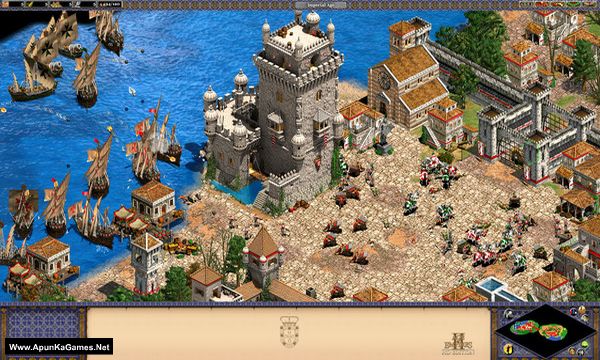
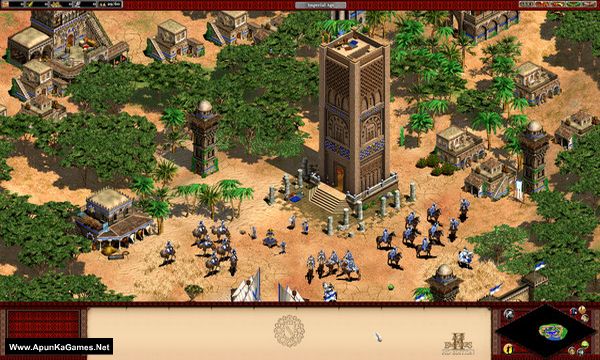
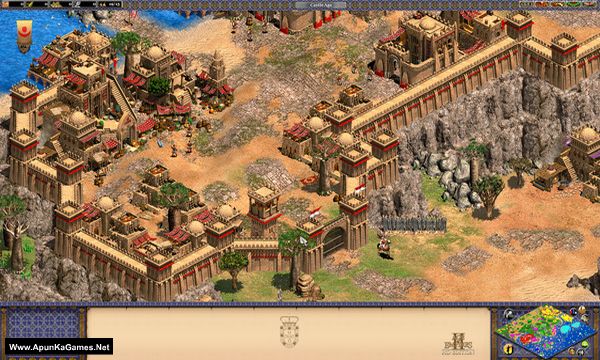
Screenshots
How to Install?
- Extract the file using Winrar. (Download Winrar)
- Open “Age of Empires II HD The African Kingdoms” folder, double click on “Setup” and install it.
- After installation complete, go to the folder where you extract the game.
- Open “CODEX” folder, copy all files and paste it where you install the game.
- Then double click on “Launcher” icon to play the game. Done!
How to Download?
If your don’t know how to Download this game, just Click Here!
If your don’t know how to Download this game, just Click Here!
Age of Empires II HD: The African Kingdoms Download
Download in Single Link
Click Here
–
Download in 600MB Parts
Download in Single Link
Click Here
–
Download in 600MB Parts
Game Size: 1.8 GB
Password: www.apunkagames.net or apunkagames

hello,after the game installed i opened it but it says mfc10u.dll files are missing wht can i do now
Min please re-upload again all link is not fond
Link is updated you can check it now …..
i extracted and downloaded game and while playing it crashes whenever i order a villager to construct any building. I am playing in widows 11
The crashing issue in Age of Empires II HD: The African Kingdoms when ordering villagers to build usually happens due to compatibility problems on Windows 11, missing runtime files, or corrupted game data. Try running the game in Windows 7 compatibility mode and as administrator, and ensure DirectX and Microsoft Visual C++ Redistributable are properly installed and updated. Also disable any overlays and background apps, as they can interfere with gameplay.