
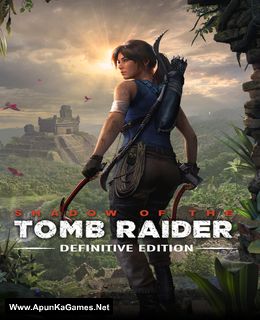
Shadow of the Tomb Raider: Definitive Edition Game – Overview – Free Download – PC – Compressed – Specs – Screenshots – Free
Type of game: Action, Adventure
PC Release Date: September 14, 2018
Developer/Publishers: Eidos-Montréal/Square Enix
Shadow of the Tomb Raider: Definitive Edition (28.4 GB) is an Action, Adventure video game. Developed and published by Eidos-Montréal/Square Enix. It was released on September 14, 2018 for Windows. In Shadow of the Tomb Raider Definitive Edition experience the final chapter of Lara’s origin as she is forged into the Tomb Raider she is destined to be. Combining the base game, all seven DLC challenge tombs, as well as all downloadable weapons, outfits, and skills, Shadow of the Tomb Raider Definitive Edition is the ultimate way to experience Lara’s defining moment.
Type of game: Action, Adventure
PC Release Date: September 14, 2018
Developer/Publishers: Eidos-Montréal/Square Enix
Shadow of the Tomb Raider: Definitive Edition (28.4 GB) is an Action, Adventure video game. Developed and published by Eidos-Montréal/Square Enix. It was released on September 14, 2018 for Windows. In Shadow of the Tomb Raider Definitive Edition experience the final chapter of Lara’s origin as she is forged into the Tomb Raider she is destined to be. Combining the base game, all seven DLC challenge tombs, as well as all downloadable weapons, outfits, and skills, Shadow of the Tomb Raider Definitive Edition is the ultimate way to experience Lara’s defining moment.
Before downloading make sure that your PC meets minimum system requirements.
Minimum System Requirements
-
-
- OS: Windows 7 (64-bit)
- Processor: i3-3220 INTEL or AMD Equivalent
- RAM: 8 GB
- Hard Disk: 40 GB available space
- Graphics Card: Nvidia GTX 660/GTX 1050 or AMD Radeon HD 7770
- DirectX: Version 11
-
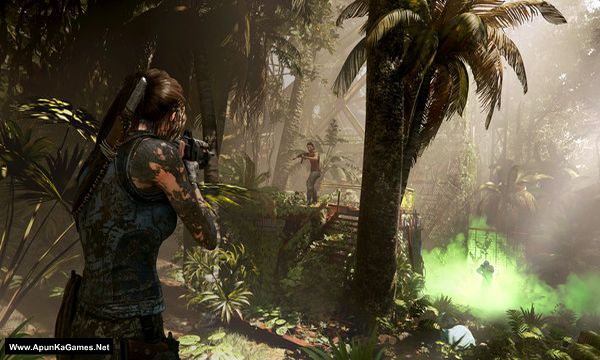
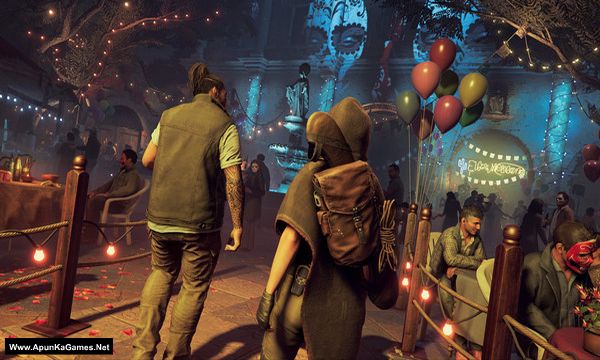
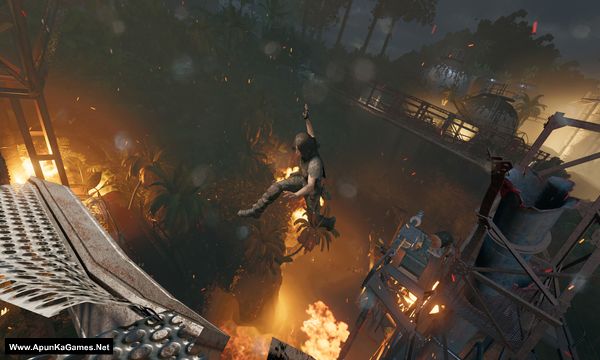
Screenshots
How to Install?
- Extract the file using Winrar. (Download Winrar)
- Open “Shadow of the Tomb Raider – Definitive Edition” folder, double click on “Setup” and install it.
- After installation complete, go to the folder where you extract the game.
- Open “CODEX” folder, copy all files and paste it where you install the game.
- Then double click on “Game” icon to play the game. Done!
How to Download?
If your don’t know how to Download this game, just Click Here!
If your don’t know how to Download this game, just Click Here!
Game Size: 28.4 GB
Password: www.apunkagames.net or apunkagames

Sir God of war 2018 kb aey gii is website pe ?
jb release ho gi
Sir god of war 2018 to release ho gayi hai kb upload kroge kr doo
3 or 4 file mai downloading slow hai
Sir,meri kafi games jo mene is website se download ki hain woh lag ki hain esa kiyun hota hai?
Will it work on windows 10
The game crashes after loading….
Did you fixed that?
hi Helo every one. bro agar kisi ka koi bhi game lag hota hy mey fix kr skta hu bgyr file ky bs graphic setting
& only 1 app lgy ga microsoft sy jis ka name sy [ INTEL GRAPHICS COMMAND CENTER ].
Ager help chaiy to YAHI P massage krna kisi ky koi graphic low ni hogy bs 1 \ 2 setting krni hy
mey youtube p video bama duga 1 game p sari setting 1 jysi hy hr game.
apka chnnle ka nam kya hai
Mene ye game install ki lekin chalnai rai likha hain shadow of the tomb raider cannot be started while steam is not running
Iska kya karu
Crack files paste ki thi bhai ya direct play ki thi.
Ye download kyue nahi horaha ?????
Link fixed now you can download brother also, when downloading games in parts, try to download them one by one. Wait for the first part to finish completely before starting the second part. TheFileLocker does not support multiple simultaneous downloads properly, which is why it can show errors. If you are using IDM, cancel all active downloads first, then click on Part 10 to start it again, and it should download without issues 👍
Apunka steam is not running err please fix 😪 pls pls reply
Did you cracked the game after installation completed? Follow these steps:
01. After installation complete, go to the folder where you extract the game.
02. Open “CODEX” folder, copy all files and paste it where you install the game.
03. Then double click on “Game” icon to play the game. Done!