
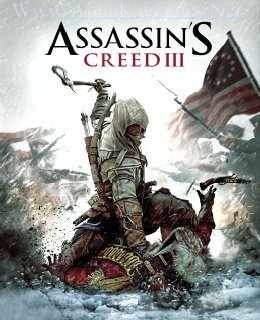
Assassin’s Creed III Game – Overview – Free Download – PC – Compressed – Specs – Screenshots – Free
Type of game: Action,Shooting
PC Release Date: October 30, 2012
Developer/Publishers: Ubisoft Montreal
Assassin’s Creed III (5.3 GB) is an action-shooter video game developed by Ubisoft Montreal and published by Ubisoft. It was released on October 30, 2012 for Windows. Assassin’s Creed III is a third-person action-adventure title set in an open world in which the player uses a combination of stealth, parkour, and combat to complete various missions. The player takes the role of three characters during the course of the game.
Type of game: Action,Shooting
PC Release Date: October 30, 2012
Developer/Publishers: Ubisoft Montreal
Assassin’s Creed III (5.3 GB) is an action-shooter video game developed by Ubisoft Montreal and published by Ubisoft. It was released on October 30, 2012 for Windows. Assassin’s Creed III is a third-person action-adventure title set in an open world in which the player uses a combination of stealth, parkour, and combat to complete various missions. The player takes the role of three characters during the course of the game.
Before downloading make sure that your PC meets minimum system requirements.
Minimum System Requirements
- OS: Windows Vista (SP2) /7 (SP1) /8
- Processor: 2.66 GHz Intel Core 2 Duo E8200 or 2.66 GHz AMD Athlon II X4 620
- RAM: 2 GB
- Hard Drive: 17 GB Free
- Video Memory: 512 MB DirectX 9.0c-compliant with Shader Model 4.0 or higher
- Sound Card: 512 MB DirectX 9.0c-compliant with Shader Model 4.0 or higher (GeForce 8800 GT or Radeon HD 4850)
- DirectX: 10
- Keyboard and Mouse
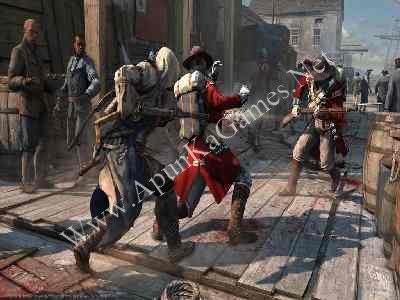
Screenshots


How to Install?
- Extract the file using Winrar. (Download Winrar)
- Open “Assassins Creed 3” folder, double click on “Setup” and install it.
- After installation complete, go to the folder where you install the game.
- Open folder, double click on “AssassinsCreed3” icon to play the game. Done!
How to Download?
If your don’t know how to Download this game, just Click Here!
If your don’t know how to Download this game, just Click Here!
Game Size: 5.3 GB
Password: www.apunkagames.net or apunkagames

why the language is russia?
You have to delete the .LANG file from folder where installed
Thanks
i cant find those file. please help
or just re-install the game and when they ask for language, Just select “English”.
The link is saying “file not found”
thanks for reporting we will soon upload.
can u reupload hitman absolution part 1
Please single link file is expired, can you please upload new one bro?
i am not able to download the 5th part it shows 6th part in place of 5th part
same here
I have a 64 bit pc and the setup is 32 bit. Can you please help me ?
64 bit can run both
what is the cd key? ubisoft is want it?
The link is not working properly
Fileslocker crashes
Yeah same. Hey admin Could You fix it please???
fixed
why can’t i run setup.exe file on my laptop? I have disabled windows defender. my laptop is windows 10
Does it contain Tyranny of King Washington dlc?
I need to download Assassin creed 3 1.01 version of the game. Please give us the link……anybody please reply.
GAMES DAWNLOAD
Dose these game contain any virus
no not at all
The game run fine for first time but when i opened it after two day’s the game didn’t open and the sound was playing and my screen got stucked
Works perfectly and a must play game
Hey admin, does this contains all the dlcs?
no
it is in russian language how ot change lanuage
hello my dear friend the game wont extract please help me with that data bin 1 wont extract
Link newer work
last time i tried to download it expires but now i can download it thanks apunkagames
is it full game
part 9 downloading speed is so slow
Does this game contain any suspicious file?
no
it says D3DCOMPILER_43.dll was not found and also says code execution cannot proceed because XINPUT1_3.dll was not found please help ASAP’ please
https://www.youtube.com/watch?v=-SyCEc4J1bQ
Can I play this in multiplayer??
no
Pls how do I extract the game, it tells that I need ubisoft connect to launch..
Open “Assassins Creed 3” folder, double click on “Setup” and install it.
After installation complete, go to the folder where you install the game.
Open folder, double click on “AssassinsCreed3” icon to play the game. Done!
Hello ApunKaGames Team,
I’ve been using your website since 2021 and have downloaded over 200+ games from your site — including the Assassin’s Creed series, Far Cry series, Just Cause series, GTA series, ETS 2, and many more.
Recently (in 2025), I noticed that the File Locker download site links are not working anymore. All other links on the pages seem fine, but the File Locker links appear to be expired or broken. I tried downloading multiple games, and the same issue happened with every one of them.
Please check and update the File Locker links — your site has been one of the best for PC game downloads, and many regular users like me truly appreciate your work.
Thank you for your time and support.
thanks a lot our team is working on it we’ll fix all bugs soon.
The 5th part of the 600mb download is not downloading it is loading but not downloading
Cancel all active downloads in IDM and then try downloading again. Brother all parts are working fine… Just download all parts one by one from Thefilelocker. wait 1st part to finish then start 2nd download. At one time 1 part. Thefilelocker can’t support multiple download so you have to download one by one! Try downloading the parts at a different time, such as late at night or during the day when website traffic is low.
is it safe to install?
First of all, we scan all files using Avast Premium Antivirus to make sure that it doesn’t contain any virus or malware. Then we test, and play all these games to give you 100% working and safe games. You can watch in this Video (How to Download and Install Assassin’s Creed III Without error) 100% safe.