

Tales of Seikyu Game – Overview – Download – Free – PC – Specs – Screenshots – Installation Guide
Type of game: RPG, Simulation
PC Release Date: June 11, 2026
Developer/Publishers: ACE Entertainment, Fireshine Games, Logoi Games
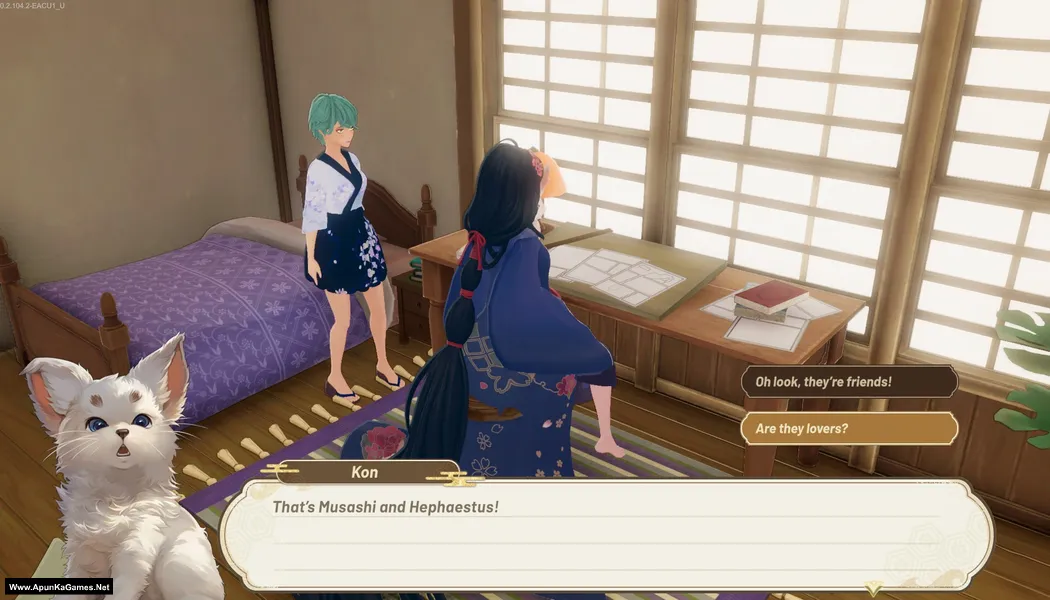
Tales of Seikyu (7.93 GB) is a cozy farming and life simulation RPG where players settle on a magical island, build a thriving farm, befriend mystical residents, and uncover ancient secrets. Grow crops, raise animals, craft useful items, explore vibrant environments, and transform into powerful Yokai forms to aid your adventures. Featuring charming visuals, engaging exploration, farming, crafting, and relationship-building mechanics, Tales of Seikyu delivers a relaxing and magical adventure for fans of life simulation games on PC.
Type of game: RPG, Simulation
PC Release Date: June 11, 2026
Developer/Publishers: ACE Entertainment, Fireshine Games, Logoi Games
Tales of Seikyu (7.93 GB) is a cozy farming and life simulation RPG where players settle on a magical island, build a thriving farm, befriend mystical residents, and uncover ancient secrets. Grow crops, raise animals, craft useful items, explore vibrant environments, and transform into powerful Yokai forms to aid your adventures. Featuring charming visuals, engaging exploration, farming, crafting, and relationship-building mechanics, Tales of Seikyu delivers a relaxing and magical adventure for fans of life simulation games on PC.
Before downloading make sure that your PC meets minimum system requirements.
Minimum System Requirements
- OS: Windows 10/11
- Processor: Intel Core i5-4590 \ AMD Ryzen 5 2600
- RAM: 8 GB
- Hard Disk: 30 GB available space
- Graphics Card: Nvidia GeForce GTX 1080 [4 GB] \ AMD Radeon R9 380X [4 GB] \ Intel Arc A580 [8 GB]
- DirectX: Version 10
Screenshots


How to Install?
- Extract the file using Winrar. (Download Winrar)
- Open “Tales of Seikyu” >> “Game” folder.
- Then double click on “Tales Of Seikyu.exe” to play the game. Done!
How to Download?
If your don’t know how to Download this game, just Click Here!
If your don’t know how to Download this game, just Click Here!
Tales of Seikyu Download
Click Here to Download This Game
Game Size: 7.93 GB
Password: www.apunkagames.net or apunkagames
Click Here to Download This Game
Game Size: 7.93 GB
Password: www.apunkagames.net or apunkagames
