

King of Fighters 97 Game – Overview – Free Download – PC – Specs – Screenshots – Installation Video
Type of game: Fighting
Type of game: Fighting
PC Release Date: July 28, 1997
Developer/Publishers: SNK
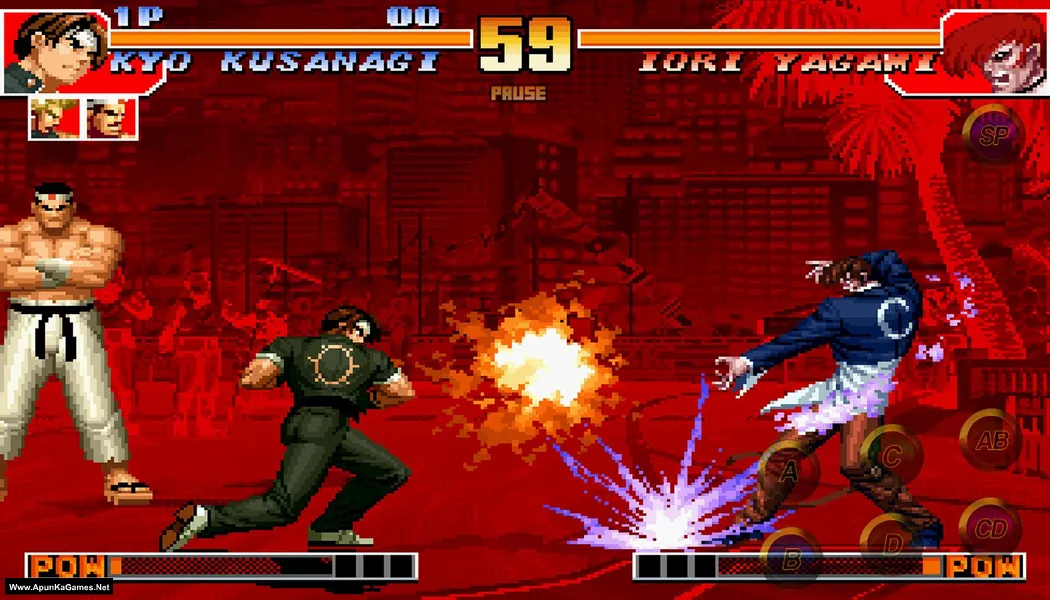
King of Fighters 97 (48 MB) is a classic arcade fighting game developed and published by SNK. It serves as the conclusion to the Orochi saga in the King of Fighters series. Players select a team of three fighters and battle opponents using unique moves, combos, and special attacks. The game introduces Advanced and Extra gameplay modes, allowing different fighting styles. With fast-paced combat, iconic characters, and competitive gameplay, KOF ’97 remains a legendary title in fighting game history.
Developer/Publishers: SNK
King of Fighters 97 (48 MB) is a classic arcade fighting game developed and published by SNK. It serves as the conclusion to the Orochi saga in the King of Fighters series. Players select a team of three fighters and battle opponents using unique moves, combos, and special attacks. The game introduces Advanced and Extra gameplay modes, allowing different fighting styles. With fast-paced combat, iconic characters, and competitive gameplay, KOF ’97 remains a legendary title in fighting game history.
Before downloading make sure that your PC meets minimum system requirements.
Minimum System Requirements
- OS: Windows XP, Vista , For Windows 7
- Processor: 500 MHz Processor
- RAM: 128 MB
- Hard Drive: 60 MB
- Video Card: 32 MB
- Sound Card: DirectX Compatible
- DirectX: Version 9.0
Screenshots


How to Install?
- Extract the file using Winrar. (Download Winrar)
- Open “King Of Fighter 97 – Apun Ka Games” folder, double click on “Setup” and install it.
- After installation complete, go to the folder where you install the game.
- Open folder, double click on “WinKawaks.exe” to play the game. Done!
How to Download?
If your don’t know how to Download this game, just Click Here!
Game Size: 48 MB
Password: www.apunkagames.net or apunkagames

nice
game
king of fighter 97 download
how to know what mostof the keys do the extra one whiuch is set on q and others