
Sonic and All-Stars RT (Video Game), Sonic & All-Stars Racing Transformed Full Version, PC Game, Download Free
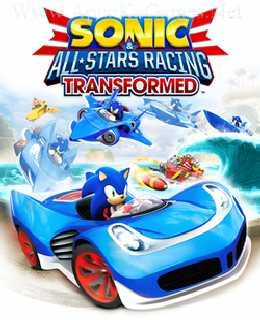
Sonic and All-Stars Racing Transformed
You may also like: Action Games Download
Before downloading make sure that your PC meets minimum system requirements.
Minimum System Requirements
- OS: Windows XP/Vista/7/8
- CPU: 2GHz Intel Core 2 Duo or equivalent
- RAM: 1GB Ram (Windows XP), 2GB Ram (Windows Vista, Windows 7, Windows 8)
- Hard Drive: 6.07 GB Free
- Video Memory: 256MB with Shader Model 3.0 support
- Sound Card: DirectX Compatible
- DirectX: 9.0c
- Keyboard and Mouse
Screenshots

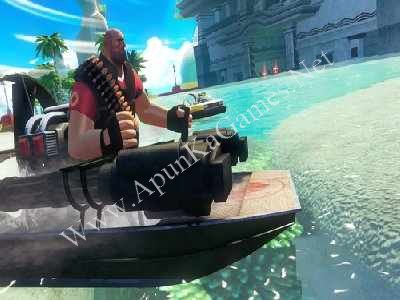
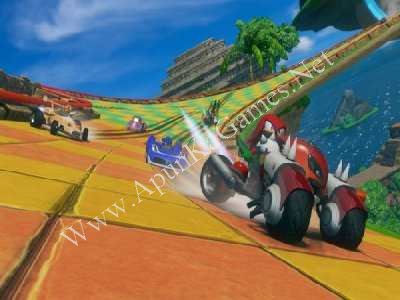
How to Install?
- Extract the file using Winrar. (Download Winrar)
- Open “Sonic and All-Stars RT” folder, double click on “Setup” and install it.
- After installation complete, go to the folder where you install the game.
- Open folder, double click on “ASN_App_PcDx9_Final” icon to play the game. Done!
How to Download?
If your don’t know how to Download this game, just Click Here!
If your don’t know how to Download this game, just Click Here!
Sonic and All-Stars Racing Transformed Free Download
Click Here to Download This Game
Game Size: 2.20 GB
Password: www.apunkagames.net or apunkagames

Pls how to change control or add a controller
Well i don’t know about in game but you can search it on google you will definitely find how to change control or add a controller there or try left side keyboard button like tab or Capslock! Thanks!
When i was on the game folder i clicked on something and it showed me some settings like change controls etc but when i try again it dosen’t open. I think i clicked on laucher folder.
it’s simply install and play setup… reinstall the game but before installation disable all antivirus and windows security… after that, extract again and reinstall the game and don’t click on launcher… after installation Right click on game “ASN_App_PcDx9_Final.exe” icon and select run as administrator…. Game will work!
best website for games never got n virus form in this just some issue in iso ones but safe I have more than 15 gmes from this alone n anker gmes . roms .fun lso gret thnks to hel;p me
Bhai, glad to hear that! 🎮 It’s true, this website is really safe—never had viruses. ISO files sometimes have minor issues, but overall it’s reliable. Thanks for sharing your experience! 👍