

The Sims 2 Game – Overview – Free Download – Compressed – Screenshots – PC – Free – Specs – Torrent/uTorrent
Type of game: Life simulation
PC Release Date: September 14, 2004
Developer: Maxis, Amaze Entertainment, EA Games
The Sims 2 (Size: 2.71 GB) is a Life simulation video game. Developed by Maxis, Amaze Entertainment and published by EA Games. It was released on Microsoft Windows in September 14, 2004.
Before downloading make sure that your PC meets minimum system requirements.
Minimum System Requirements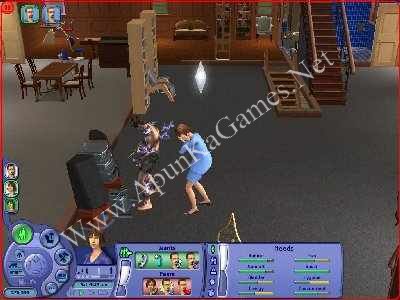

Developer: Maxis, Amaze Entertainment, EA Games
The Sims 2 (Size: 2.71 GB) is a Life simulation video game. Developed by Maxis, Amaze Entertainment and published by EA Games. It was released on Microsoft Windows in September 14, 2004.
Before downloading make sure that your PC meets minimum system requirements.
Minimum System Requirements
- OS: Windows XP (SP3), Vista (SP2), 7 (SP1), Windows 8, or Windows 8.1
- CPU: 1.8 GHz Intel Core 2 Duo, AMD Athlon 64 Dual-Core 4000+ or equivalent
- RAM: 2 GB
- Hard Drive: 9 GB Free
- Video Memory: 128 MB, NVIDIA GeForce 6600 or better, ATI Radeon X1300 or better
- Sound Card: DirectX Compatible
- DirectX: 9.0c
- Keyboard and Mouse
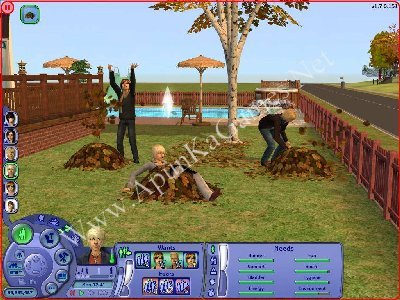
Screenshots
How to Install?
- Extract the file using Winrar. (Download Winrar)
- Open “The Sims 2” >> “Game Setup” folder.
- Mount and burn all 4 disk with DAEMON Tools Lite”
- When they want serial key type this: BKUL-CS68-J6AT-37Y7-KX4F
- After installation complete, they want disk 1, then mount Disk 1 again.
- After that, go to the folder where you install the game.
- Open folder, double click on “Sims2” icon to play the game. Done!
Watch Installation Video

Hey is there anyway to download this game without using daemon tools. Like just normal installation process like your other cracked games.
No, brother. Just follow the instructions—they’re simple. Use Daemon Tools Lite to mount/extract the game, then continue with the installation as shown in the guide. 👍
Hello I am having the problem when I mount 4 disk and open the game it shows please insert the correct cd rom , select ok and restart application.
But I have mounted the correct disk so why this problem still comes by the way I am using power iso tool .
Brother read these instruction carefully: After disk 4 mount disk 1 again to complete the installation.
01. After installation complete, they want disk 1, then mount Disk 1 again.
02. After that, go to the folder where you install the game.
03. Open folder, double click on “Sims2” icon to play the game. Done!