
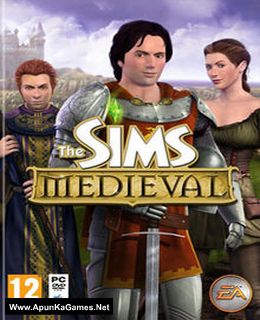
The Sims Medieval Game – Overview – Free Download – PC – Compressed – Specs – Screenshots – Free
Type of game: Action, Adventure, Simulation
PC Release Date: March 22, 2011
Developer/Publishers: Maxis, The Sims Studio
The Sims Medieval (4.6 GB) is an Action, Adventure, Simulation video game. Developed and published by Maxis, The Sims Studio. It was released on March 22, 2011 for Windows. The Sims Medieval provides a medieval setting. Players build up a kingdom, send Sims on quests, and earn rewards in the form of Kingdom Points. The game diverges from other installments of the Sims series in that players can win the game by achieving a kingdom ambition.
Type of game: Action, Adventure, Simulation
PC Release Date: March 22, 2011
Developer/Publishers: Maxis, The Sims Studio
The Sims Medieval (4.6 GB) is an Action, Adventure, Simulation video game. Developed and published by Maxis, The Sims Studio. It was released on March 22, 2011 for Windows. The Sims Medieval provides a medieval setting. Players build up a kingdom, send Sims on quests, and earn rewards in the form of Kingdom Points. The game diverges from other installments of the Sims series in that players can win the game by achieving a kingdom ambition.
Before downloading make sure that your PC meets minimum system requirements.
Minimum System Requirements
- OS: Windows XP/Vista/7/ Service Pack
- Processor: 2.0 GHz P4 processor or equivalent for Windows XP; 2.4 GHz P4 processor or equivalent for Windows Vista or Windows 7
- Memory: 1 GB RAM
- Graphics: A 256 MB Video Card with support for Pixel Shader 2.0
- DirectX: Version 9.0
- Storage: 5 GB available space
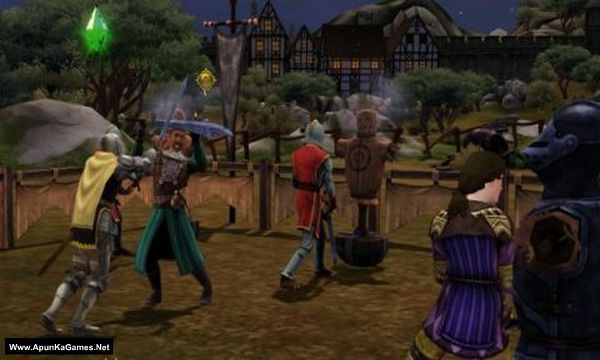
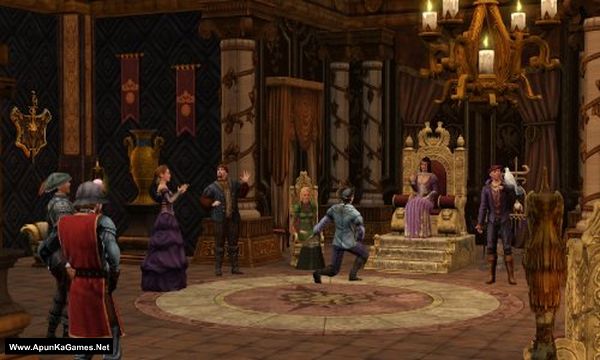
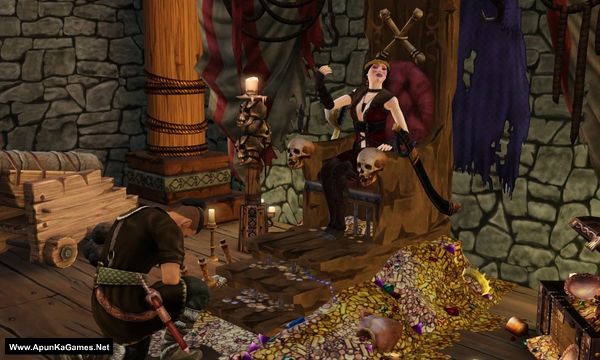
Screenshots
How to Install?
- Extract the file using Winrar. (Download Winrar)
- Open “The Sims Medieval” folder, double click on “Setup” and install it.
- CD KEY (T9PP-6DVX-54RY-3544-7RLD) After installation complete, go to the folder where you extract the game.
- Open “Crack” folder, copy all files and paste it where you install the game.
- Then double click on “SimsMedievalLauncher” icon to play the game. Done!
How to Download?
If your don’t know how to Download this game, just Click Here!
If your don’t know how to Download this game, just Click Here!
Game Size: 4.6 GB
Password: www.apunkagames.net or apunkagames

I did all you asked, it loaded but at sum point, it demanded for a disk
It will not load the actual game once it forced the game to update from 1.0 to 2.0.1. Can you plz reupload a new up to date version?
To clarify it loads the game’s main menu page & is just a blank page as if no internet on the Welcome tab even tho there is internet, I figure it’s due to the crack and ignored that part. The game updates tab says its up to date & shows up just as it should, as does the rest of the game menu window. Clicking the green play button however does not load the actual game in order to play it… I’m assuming the difference between game versions is the culprit….
It sounds like the forced update from version 1.0 to 2.0.1 may have broken compatibility with the current files, which is why the menu loads but the actual game does not start. The blank Welcome tab is likely related to the offline/crack limitation as you mentioned. We’ll check for a newer updated version and try to re-upload a proper working build as soon as possible 👍