

Into the Dead: Our Darkest Days Game – Overview – Download – Free – PC – Specs – Screenshots – Installation Guide
Type of game: Survival Horror, Simulation
PC Release Date: April 10, 2025
Developer/Publishers: PikPok
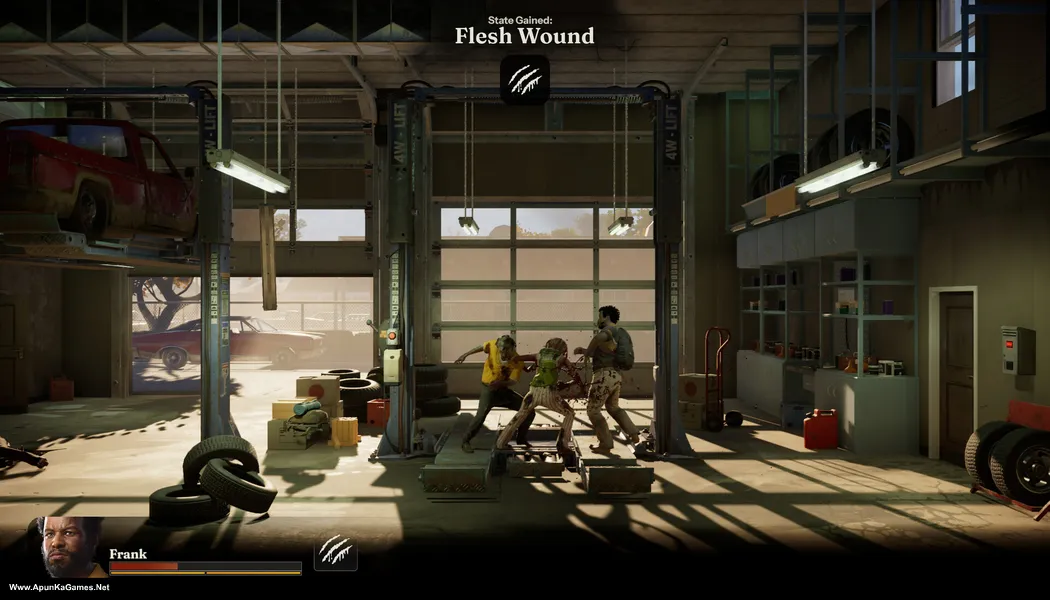
Into the Dead: Our Darkest Days (5.78 GB) is a side-scrolling zombie survival game set in a devastated city during a deadly outbreak. Players guide a group of survivors, manage resources, craft supplies, and make difficult choices to stay alive. Explore dangerous locations, scavenge for food and weapons, and defend your shelter from zombie attacks. The gameplay focuses on survival strategy, exploration, and emotional storytelling, delivering a gripping PC zombie survival experience in a dark post-apocalyptic world.
Type of game: Survival Horror, Simulation
PC Release Date: April 10, 2025
Developer/Publishers: PikPok
Into the Dead: Our Darkest Days (5.78 GB) is a side-scrolling zombie survival game set in a devastated city during a deadly outbreak. Players guide a group of survivors, manage resources, craft supplies, and make difficult choices to stay alive. Explore dangerous locations, scavenge for food and weapons, and defend your shelter from zombie attacks. The gameplay focuses on survival strategy, exploration, and emotional storytelling, delivering a gripping PC zombie survival experience in a dark post-apocalyptic world.
Before downloading make sure that your PC meets minimum system requirements.
Minimum System Requirements
- OS: Windows 10 (64‑bit)
- Processor: Intel i5-4460 / AMD FX-8350
- RAM: 8 GB
- Hard Disk: 10 GB available space
- Graphics Card: NVIDIA GeForce GTX 960 2GB / AMD Radeon R9 280 3GB
- DirectX: Version 11
Screenshots


How to Install?
- Extract the file using Winrar. (Download Winrar)
- Open “Into the Dead: Our Darkest Days” >> “Game” folder.
- Then double click on “IntoTheDeadOurDarkestDays.exe” to play the game. Done!
How to Download?
If your don’t know how to Download this game, just Click Here!
If your don’t know how to Download this game, just Click Here!
Game Size: 5.78 GB
Password: www.apunkagames.net or apunkagames
