
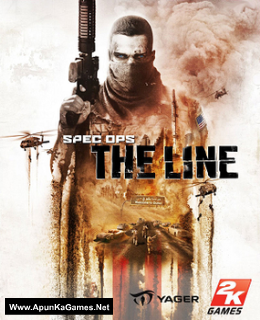
Before downloading make sure that your PC meets minimum system requirements.
Minimum System Requirements
- OS: Windows XP/Vista/7
- Processor: Intel Core 2 Duo @ 2Ghz / AMD Athlon 64 X2 equivalent
- RAM: 2 GB
- Hard Drive: 6 GB available space
- Video Card: 256 MB, NVIDIA GeForce 8600 / ATI Radeon HD 2600XT
- DirectX: 9.0
Screenshots
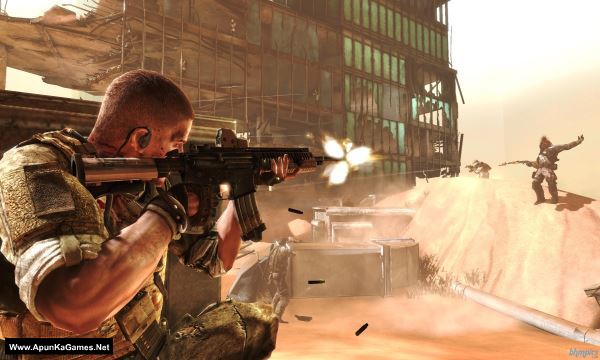
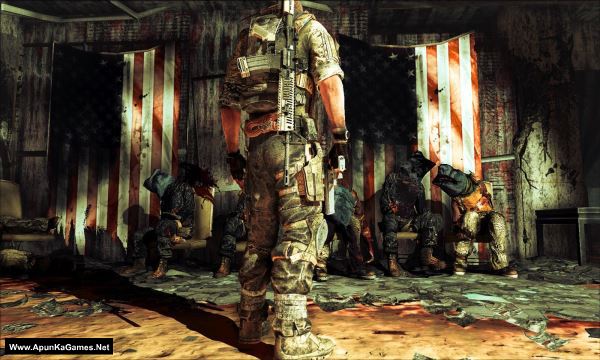
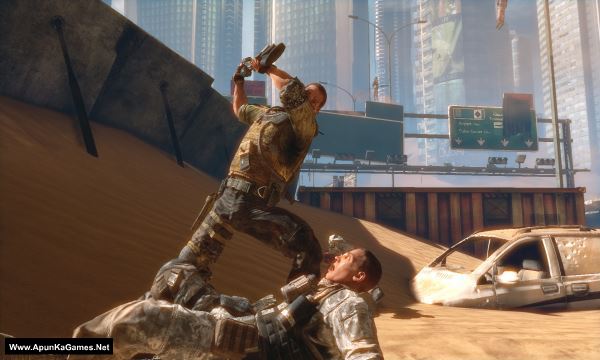
How to Install?
- Extract the file using Winrar. (Download Winrar)
- Open “Spec Ops The Line” folder, double click on “Setup” and install it.
- After installation complete, go to the folder where you extract the game.
- Open “PLAZA” folder, copy all files and paste it where you install the game.
- Open “Binaries” >> “Win32” folder, double click on “SpecOpsTheLine.exe” to play the game. Done!
How to Download?
If your don’t know how to Download this game, just Click Here!
If your don’t know how to Download this game, just Click Here!
Game Size: 6.1 GB
Password: www.apunkagames.net or apunkagames

Please after installation, the game it can’t open, help
check your pc if it meets the minimum specs mine works just fine
PART 3 NOT FOUND PLEASE GIVE THE PART
is this compatible with windows 10??
can i run this game on windows 10?
Window 10 is comportable with all pc games
It’s worked fine, just had to download buddha.dll separately and then copied the dll file to the game directory. And also turn off your virus protection before installing.
Happy gaming
GUYS PLEASE HELP ME!
MY PC IS QUITE A GOOD FOR THIS GAME, I MEAN ABOVE THE REQUIREMENTS..
but I can’t open the game. After installation, when I launch the game, a msg pops up “SpecOpsTheLine.exe is not a valid Win32 application.” Help 😭
Alif it’s 100% working (PLAZA) setup. did you paste the crack which is in “PLAZA” folder. after installation complete, copy all files from PLAZA folder and paste it directory into the folder where you install the game. After that, open “Binaries” >> “Win32” folder, double click on “SpecOpsTheLine.exe” to play the game. Done! (we checked the setup again and it’s working fine!
can you fix link part 8? please
the part 8 i can’t download it
please upload the part 8
yeah sure
Please I can’t extract the game
extract with winrar
HEY,
THE MAIN SINGLE FILE DOWNLOAD LINK IS BROKEN, FIX IT.
NO MATTER WHAT YOU’VE TO DO, FIX THE LINK AND MAKE IT AVAILABLE HERE..
WHY DID YOU REMOVE THE FILE ??? FOR DMCA, FCK DMCA AND IT’S CHUMP CHANGES, GOT IT…
which part you face that issue
Please upload part 8 ‘File not found’
sure sir
Where is the part 8?
All links are working now you should download one by one..
Hello,
I downloaded GTA V from your website and I am facing an issue while extracting the files.
In the downloaded files:
– Only Part 1 is in RAR format
– All the remaining parts are in ZIP format
Because of this mismatch, WinRAR shows the following errors while extracting:
– “Next volume is required”
– “Checksum error”
All files are placed in the same folder, and I tried extracting only from “part1.rar”, but the issue still persists.
It seems that the archive parts are not provided in the same format or one/more parts are incorrect or corrupted.
Kindly help me by:
– Providing all parts in the same format (RAR or ZIP), or
– Sharing the correct / missing archive files or download links.
Thank you for your support.
Regards,
Nafih
There is no extraction problem… We checked 10 time again and again. When you type wrong password the rar file will obviously show Error. (5GB Parts) 12 Parts Password is:
www.apunkagames.netMake you that you have download all 12 parts completely then move all 12 parts into 1 new folder and extract only part 1(type the right password:
www.apunkagames.netit will extract 100% with no problem.. if still give you error try to update your winrar. I am using 5.91 Winrar and it’s working 100% no extracting problem! try this and then tell me…Um when extracting my win rah stops mid way coz it’s corrup should I ignore it?
No brother, don’t ignore it. If WinRAR stops during extraction and shows a corrupt error, it means one of the parts is not fully downloaded or is damaged. Please re-download the corrupt part from the website and try extracting again.
Downloading any part says: “Check if there’s any typo in fs72.fileslocker.com”
fix the problem please
We’re currently having some server issues, which is causing download problems. We’re aware of it and will try to fix it as soon as possible. Thank you for your patience 👍
Error a raha hai nvtt.dll is missing kya kary
The error “nvtt.dll is missing” usually happens because the game files are incomplete or your antivirus deleted the file. First, check your antivirus quarantine and restore the file if it was removed. Then reinstall or verify the game files properly. You should also install/update DirectX and Visual C++ Redistributables, because some old games need them to run correctly.
I downloaded it from the single, but WinRAR is showing that this file is corrupt. What do I do now?
If WinRAR says the single file is corrupt, then the download was incomplete or corrupted during downloading. Just delete the file and download it again completely without pausing or resuming. Also make sure you have enough free space. We checked the file from our side and it extracts without any errors 👍