

Ertugrul of Ulukayin Game – Overview – Free Download – PC – Compressed – Specs – Screenshots – Free
Type of game: Action-adventure, RPG
PC Release Date: June 12, 2025
Developer/Publishers: Tekden Studio, Tekden Film
Ertugrul of Ulukayin (8.04 GB) is an Action-adventure, RPG video game. Developed and published by Tekden Studio, Tekden Film. It was released on June 12, 2025 for Windows. Ertugrul of Ulukayin is a 3rd person action-adventure game that takes you into the heart of the Turkish medieval era, set against the stunning landscape of Ahlat. Explore breathtaking landmarks and forge connections with neighboring tribes as you navigate this vibrant world.
Type of game: Action-adventure, RPG
PC Release Date: June 12, 2025
Developer/Publishers: Tekden Studio, Tekden Film
Ertugrul of Ulukayin (8.04 GB) is an Action-adventure, RPG video game. Developed and published by Tekden Studio, Tekden Film. It was released on June 12, 2025 for Windows. Ertugrul of Ulukayin is a 3rd person action-adventure game that takes you into the heart of the Turkish medieval era, set against the stunning landscape of Ahlat. Explore breathtaking landmarks and forge connections with neighboring tribes as you navigate this vibrant world.
Before downloading make sure that your PC meets minimum system requirements.
Minimum System Requirements
-
-
- OS: Windows 10 (64-bit)
- Processor: Core i7-6700 or Ryzen 5 1600
- RAM: 16 GB
- Hard Disk: 20 GB available space
- Graphics Card: Nvidia® GeForce GTX™ 1070 8GB/AMD Radeon™ RX 5700 8GB/Intel® Arc™ A580 8GB
- DirectX: Version 12
-
Screenshots
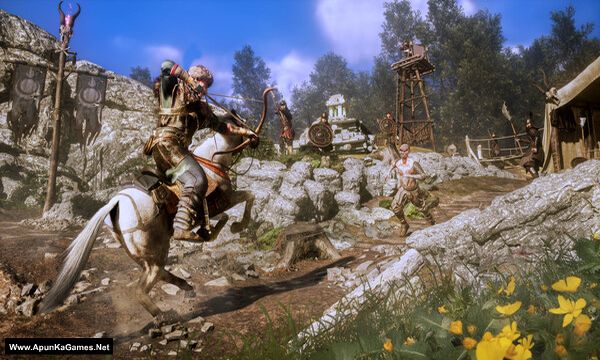
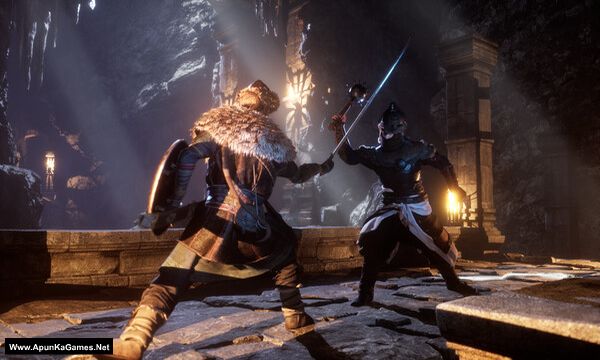
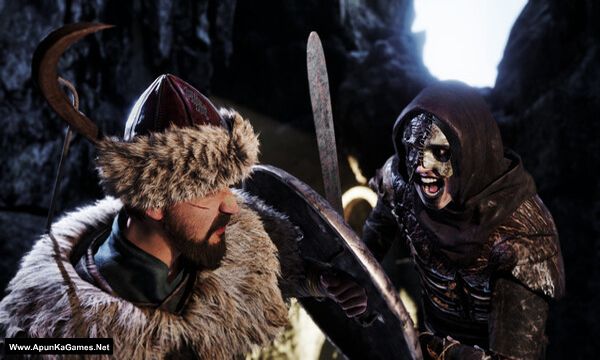
How to Install?
- Extract the file using Winrar. (Download Winrar)
- Open “Ertugrul of Ulukayin” >> “Game” folder.
- Then double click on “UlukayinErtugrul” icon to play the game. Done!
How to Download?
If your don’t know how to Download this game, just Click Here!
If your don’t know how to Download this game, just Click Here!
Game Size: 8.04 GB
Password: www.apunkagames.net or apunkagames

The second part is not downloading it says “The requested URL was not found on this server.”
Cancel all the active downloads in IDM and then click on part 2. Wait 1st part to finish then start 2nd download. At one time 1 part. Thefilelocker can’t support multiple download so you have to download one by one! Try downloading the parts at a different time, such as late at night or during the day when website traffic is low.
Hello